How reviews work for coaches on UNAFFI
Ratings out of five, comments and photos from people you coach, on your public profile and next to every application you send. How reviews work.
· Updated
When someone's choosing between coaches who applied to them, the stars next to each name do a lot of the work. On UNAFFI, the people you coach can rate you out of five, say what you're like and add photos. It shows on your public profile and next to every application you send.
1. Who can review you
Anyone signed in to UNAFFI, except you. Each person gets one review per coach: their overall view of you as a coach, not of a single session. It's shown on your profile with their name. They can write one from your profile (Write a review), or from their chat with you after you've applied to their request.
2. What a review has
- A rating: 1 to 5 stars, from Poor to Excellent.
- A comment, if they like, up to 500 characters: what you were like to deal with and to be coached by.
- Photos, if they like: up to 6.
3. Where reviews show
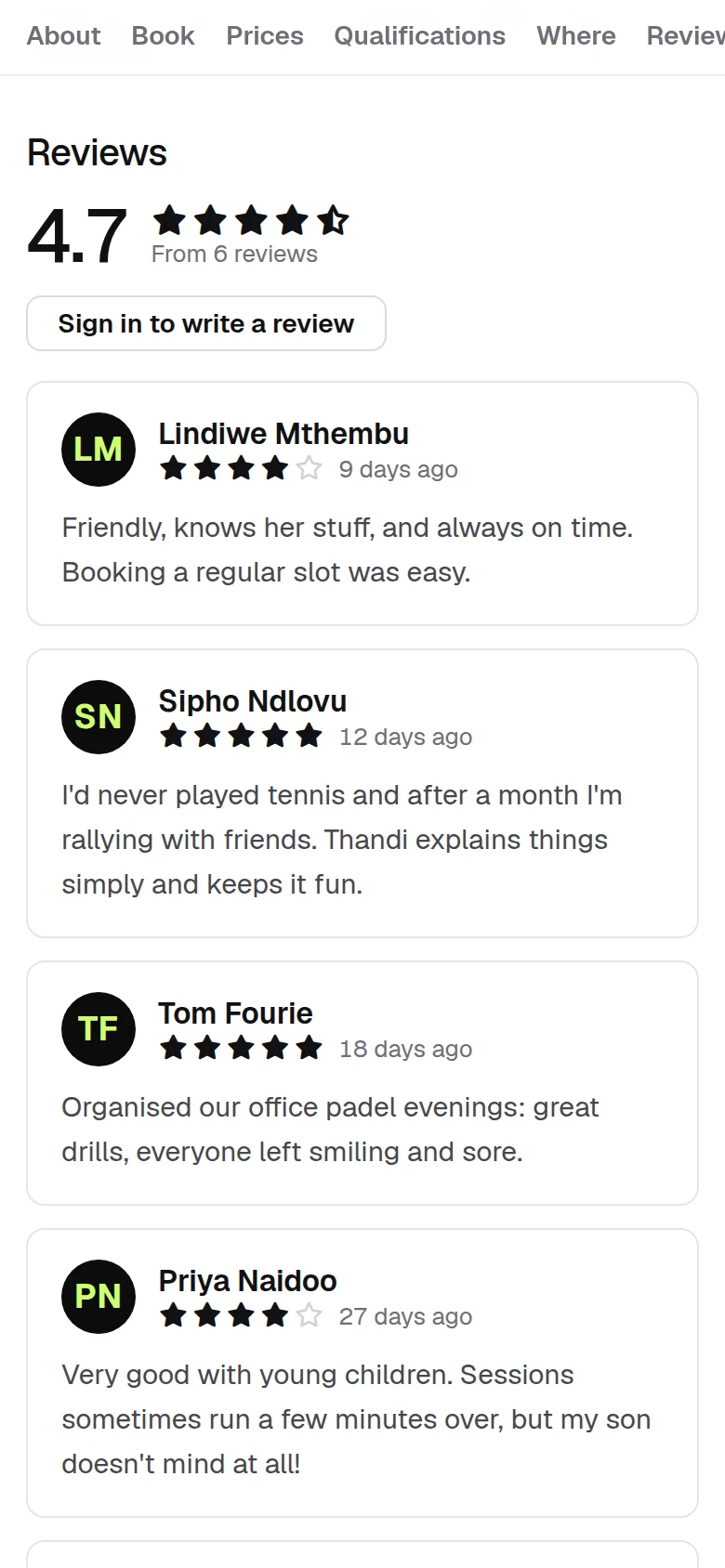
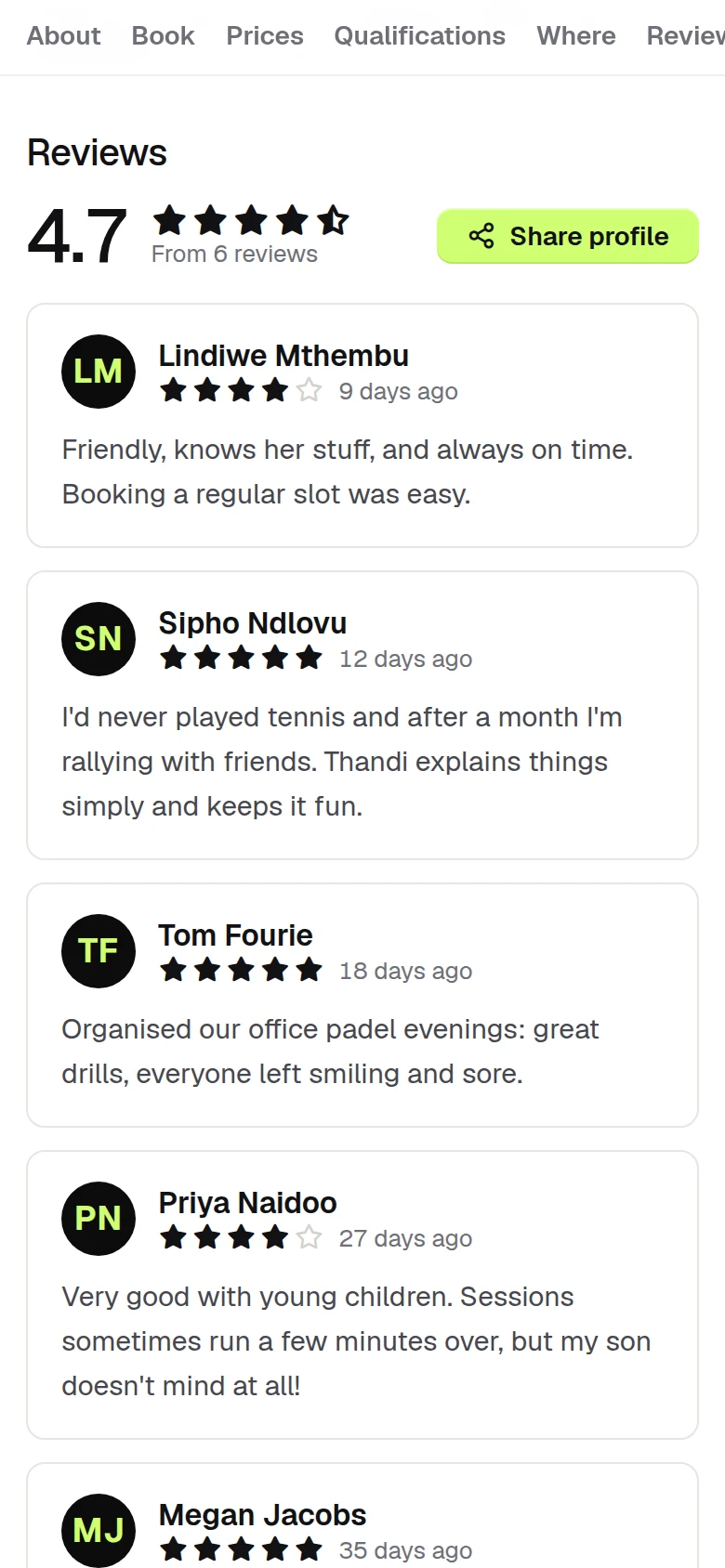
- At the top of your profile: your stars, the average and how many reviews, like "4.7 (6 reviews)".
- In your profile's Reviews, newest first, each with the reviewer's name, photo, stars, comment and photos.
- Next to every application you send: "★ 4.7 (6)", so the person choosing sees it before they've even opened your profile. A team's application shows it beside each coach it puts forward.
4. Theirs to change
A reviewer can edit or delete their review at any time; saving again replaces it. You can't edit, hide or reply to a review: it's their word, which is what makes reviews worth reading. UNAFFI can remove a review that breaks our terms: if you think one does.
5. Getting your first reviews
The quickest way is to ask the people you already coach. While your profile is public, press Share profile and send it to them: they sign in, open your profile and write a review. See how to share your profile.
6. Your reviews stay yours
Reviews belong to you, not to a team: they stay with you if you join or leave one.
Questions
Who can review me?
Anyone signed in to UNAFFI, except you. Each person can leave one review of you, their overall view of you as a coach, and change it whenever they like.
Can I remove or reply to a review?
No. A review is the reviewer's own: they can change or delete it, and you can't. UNAFFI can remove one that breaks our terms, so contact us if you think one does. That's what makes reviews worth reading.
How is my rating worked out?
It is the average of everyone's stars, shown to one decimal place, with how many reviews it comes from: "4.7 (6 reviews)".
How do I get my first reviews?
Share your profile with the people you coach now and have coached before, and ask them for a review. They sign in, open your profile and press Write a review.