How to apply to coaching requests and chat to arrange the work
Apply to people looking for a coach with a short note, then chat in one thread to arrange it. From your plan's applications, or an application credit.
· Updated
You've found a request in your Leads that suits you. Applying takes a minute: a short note on how you'd coach them, and you're in a chat with them, next to your profile and your reviews. Here's how it works, what it costs, and how you get your application credit back if they never open it.
1. Read the request
Open a request to see everything they wrote: the sport, the towns, when it was posted, what they're looking for, and who posted it, with who it's for (their child or a group). Contact details are hidden, unless they choose to share theirs with you: then they show under Posted by. Everything else is arranged in the chat on that page.
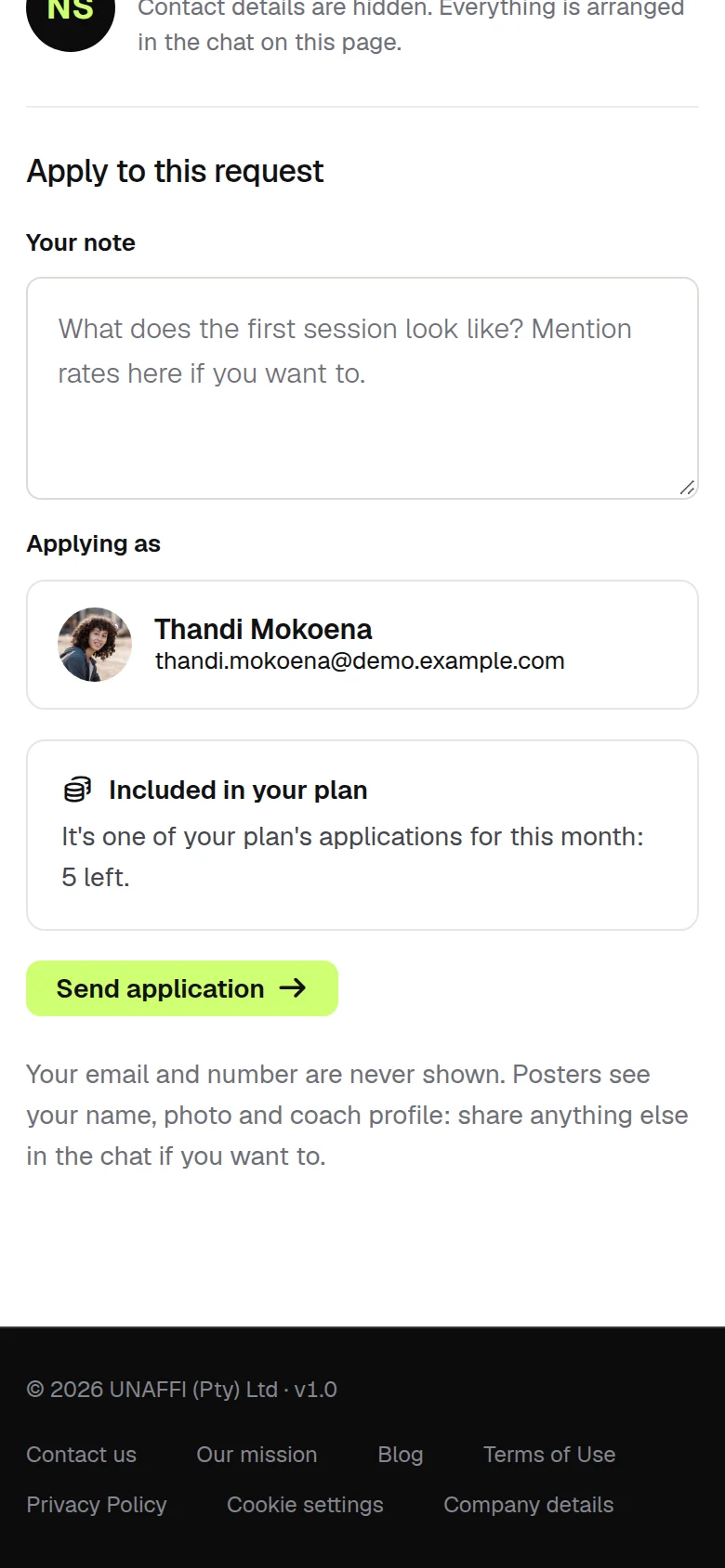
2. Write your note
Under Apply to this request, write your note, up to 250 characters. Be specific: what the first session would look like, when you're free, where, and your rates if you like. A specific first message has a better chance of getting a reply. Then press Send application.
3. What it costs
- Your plan's applications: Coach (R299 a month) includes 10 a month, Team (R799) 25, Academy (R1,299) 50 and Unlimited (R1,999) as many as you like. A month is the calendar month, and an application counts once, when you first send it.
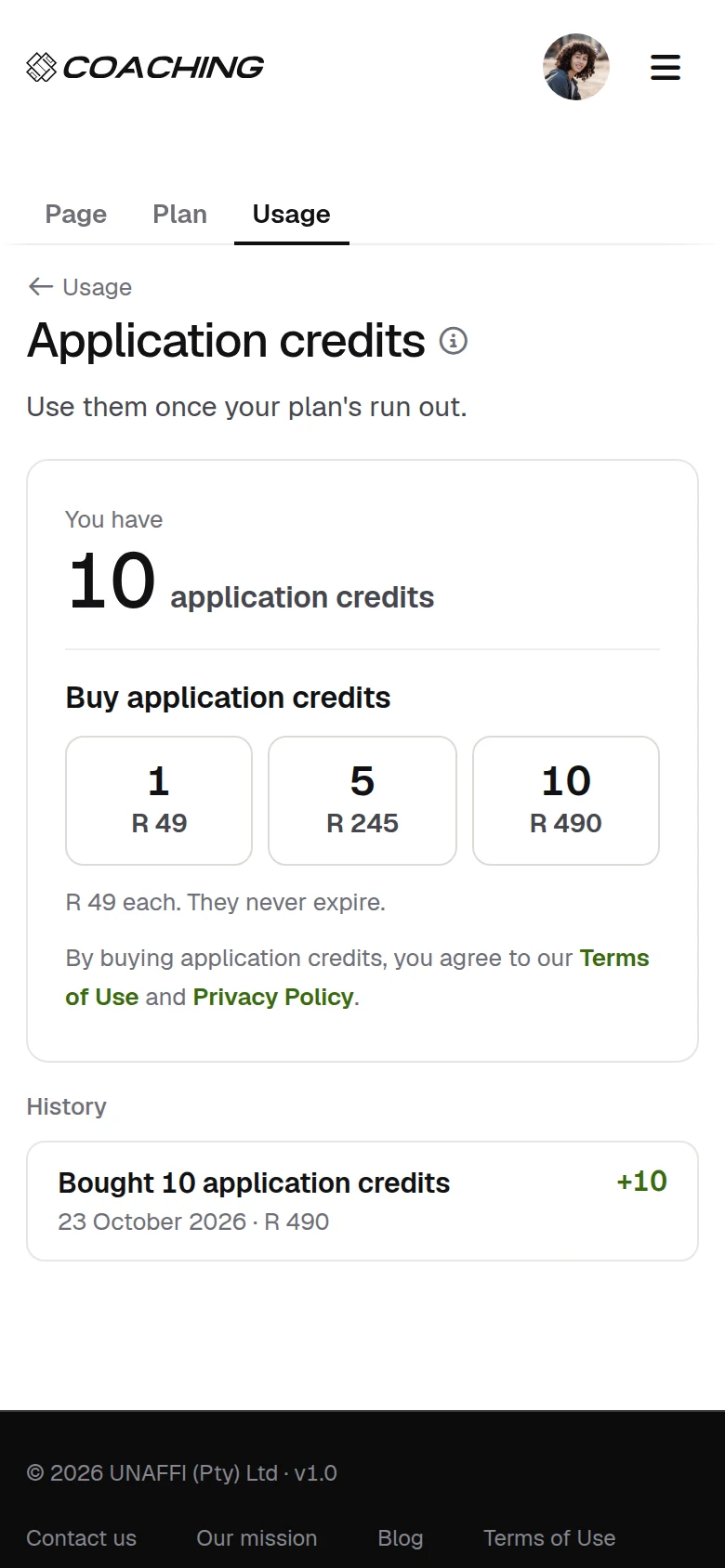
- Application credits: past your plan's applications, or on Free, one per application: R49, in packs of 1 (R49), 5 (R245) or 10 (R490), paid through Paystack's secure checkout. They don't expire, and a new coach starts with 2.
Your plan is under Settings › Plan; what you've used this month, and your application credits, under Settings › Usage. See what each plan includes.
You get your application credit back if the person doesn't open your application within 14 days (it's withdrawn for you, and you're told), or if you withdraw it before they open it. Once they've opened it, it's used, whatever they decide. Sending an application again after it was declined or withdrawn is free: it's been paid for once, unless its application credit came back to you.
4. Chat to arrange it
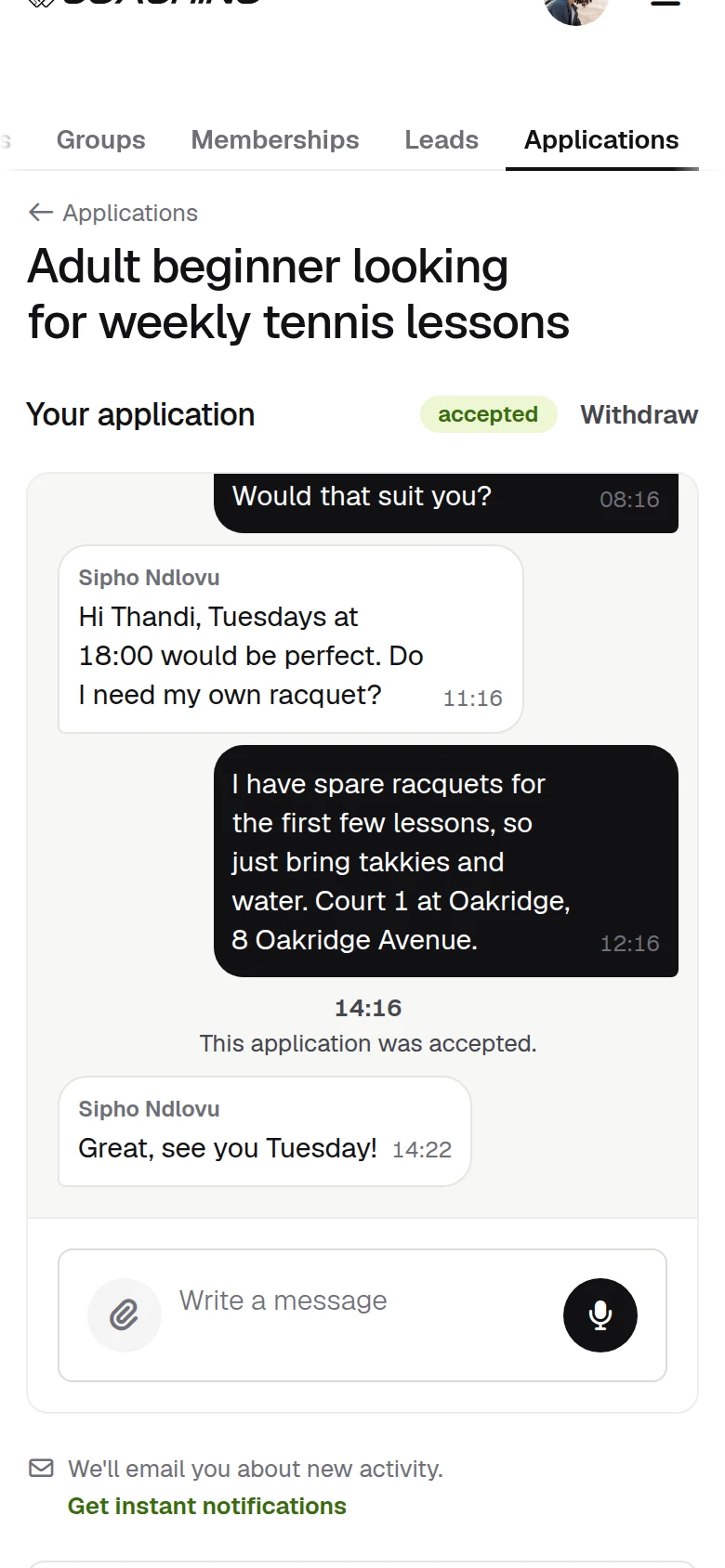
Your note is the first message of a chat with the person who posted. They see your name, photo and rating, and one tap takes them to your profile and its reviews (while your page is public). Send messages, photos, videos, voice notes and documents back and forth to agree on times, place and price. The chat stays open while your application is pending or accepted.
5. Accepted, declined, or not yet
The person can accept your application, decline it, or move it back to pending, and you're told each time: "Application accepted 🎉, reply to arrange your first session." You can withdraw an application while it's pending or accepted, and send it again later if the request is still up.
They can also share their contact details with you: their name and an email address or mobile number show under Posted by, and you're told. If they haven't answered after 3 days, we remind them, and once more 3 days later.
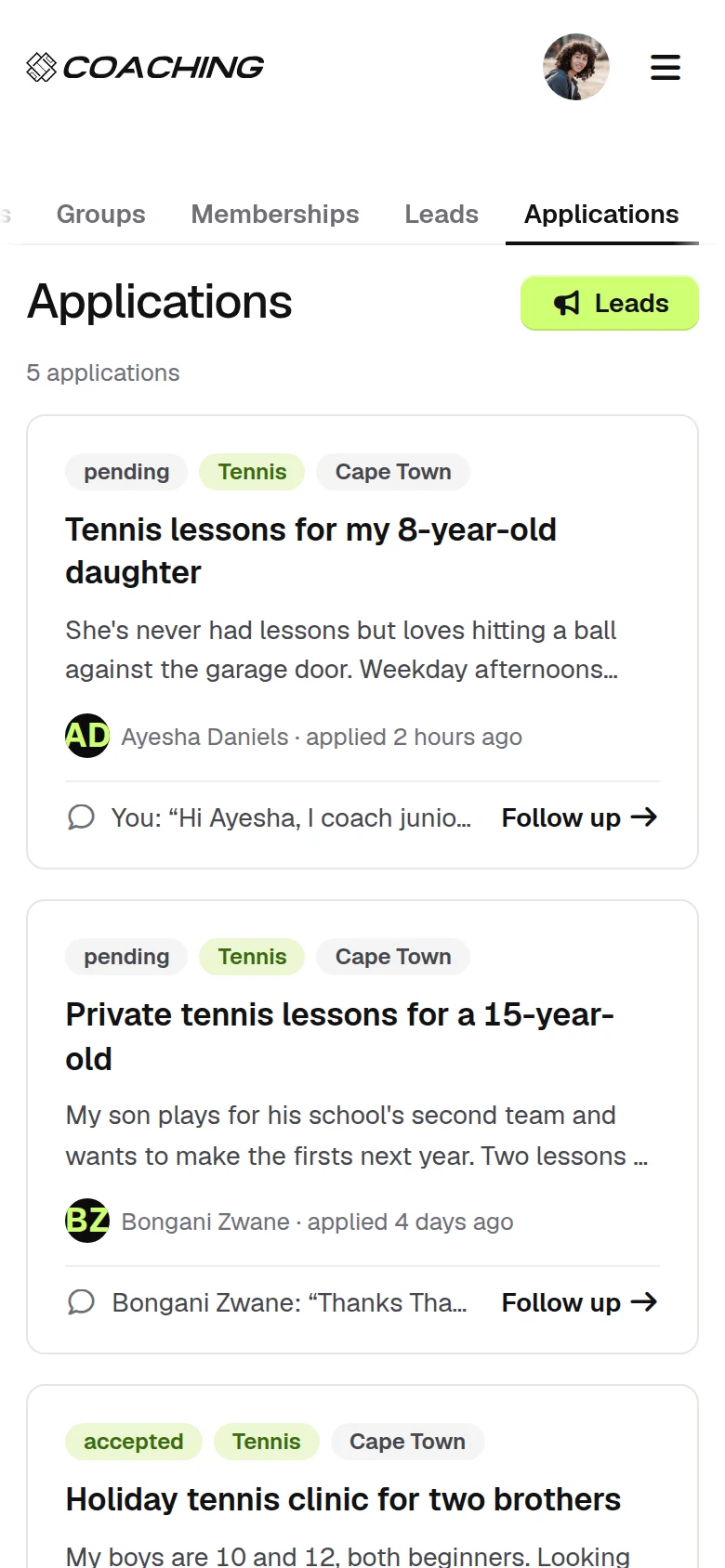
Clients › Applications lists them all, each with where it stands, the request and the last message, and Follow up takes you back to the chat.
6. Then coach them
Once they've replied, accepted or shared their contact details, press Add as a client on the application, under Posted by, to add them to your clients, filled in from their request and anything they shared, or to link them to a client you already have. If they share their details after you've added them, Use on client record puts them on it. Then plan their sessions on your schedule, and invoice them through UNAFFI: only Paystack's fee comes off, and UNAFFI takes no cut. You don't need their email address: invoices are emailed to their UNAFFI account, which you don't see unless they share it.
Coaching as a team?
A team applies under its own name and logo, and its owner and admins choose which of its coaches the application is for. Read more about teams.
Questions
How much does it cost to apply?
It depends on your plan. Coach includes 10 applications a month, Team 25, Academy 50 and Unlimited as many as you like. Past those, or on Free, each application uses an application credit: R49, in packs of 1, 5 or 10 through Paystack. They don't expire, and a new coach starts with 2.
Do I get my application credit back?
Yes, if the person doesn't open your application within 14 days (it's then withdrawn for you), or if you withdraw it before they do. Once they've opened it, it's used, whatever they decide.
Will I get their phone number?
Only if they choose to share it. They can share their name and an email address or mobile number with you on your application, and you're told. Yours stay hidden: share them in the chat if you want to.
What if I apply a lot?
Choose a plan with applications every month, under Settings › Plan: Coach (R299 a month) includes 10, Team (R799) 25, Academy (R1,299) 50 and Unlimited (R1,999) as many as you like. Pay monthly, or yearly with two months free. Cancel any time: it runs to the end of the month or year you've paid for.