Book a coaching session or class online, for you or your children
Book a coach’s or team’s session from their page: pick a day, add your children or friends, pay with Paystack, and cancel for credit if plans change.
Some coaches and academies on UNAFFI let you book their sessions yourself: a squad, a class, a clinic or a free taster. You pick one on their page, say who's coming, and pay. Here's how.
1. Find a session
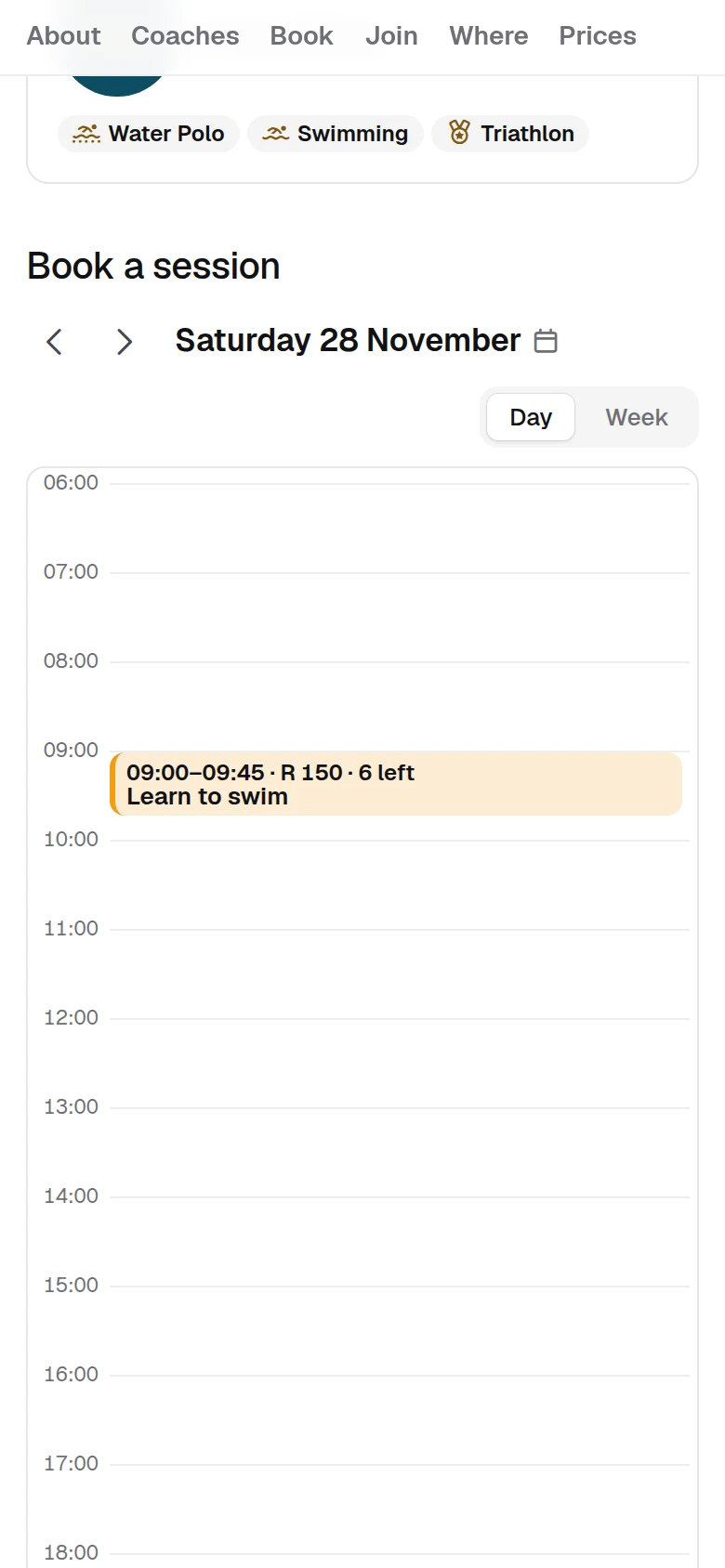
On a coach's profile or a team's page, Book a session shows what you can book, by day or week: each session's time, price and spots left. Tap one to book it. A full one says so, and opens for its waitlist. Coaches share their sessions' links too, on WhatsApp say, and some have a QR code on the TV at their venue.
Looking for a coach in the first place? Post what you're looking for, and coaches near you apply.
2. Say who's coming
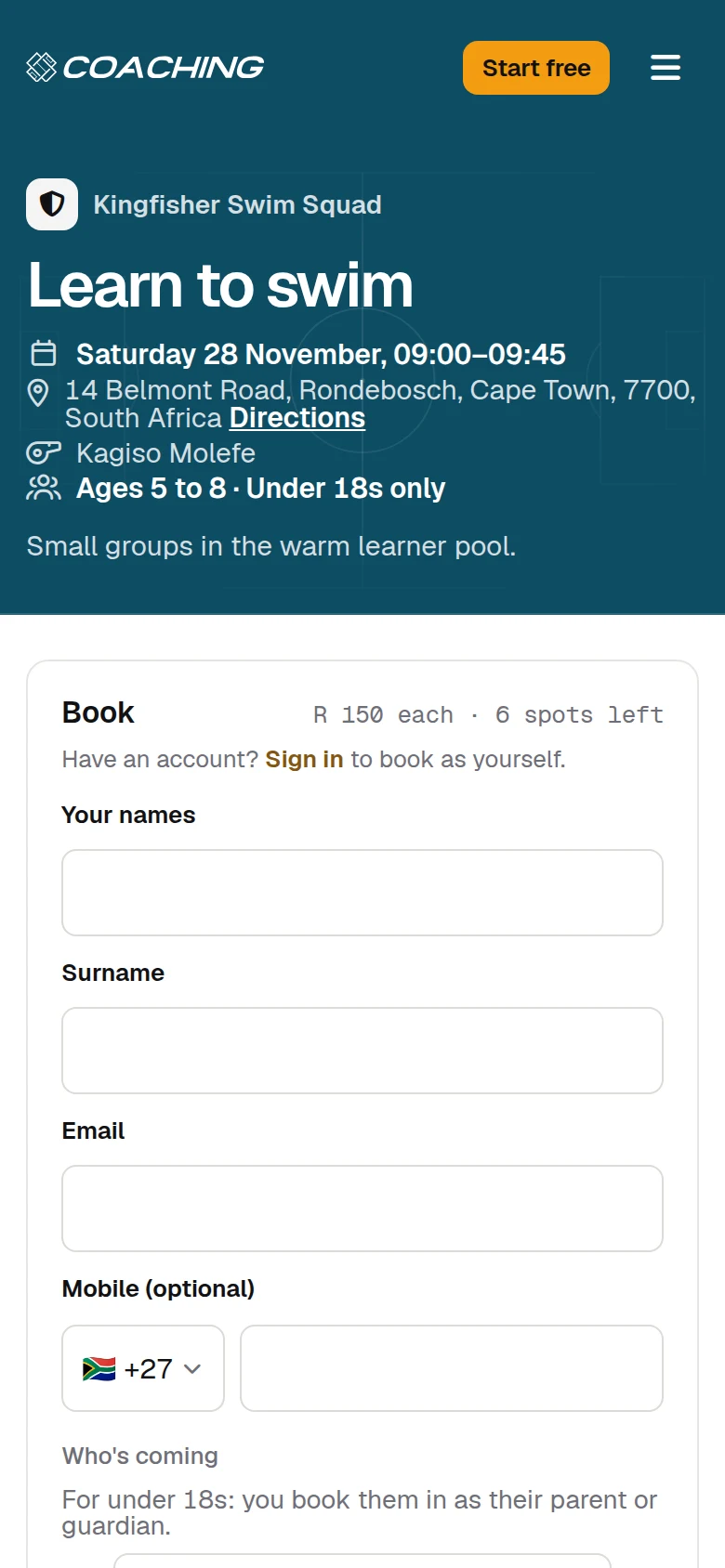
- Your names, surname and email address, and a mobile number if you like. Or sign in to book as yourself.
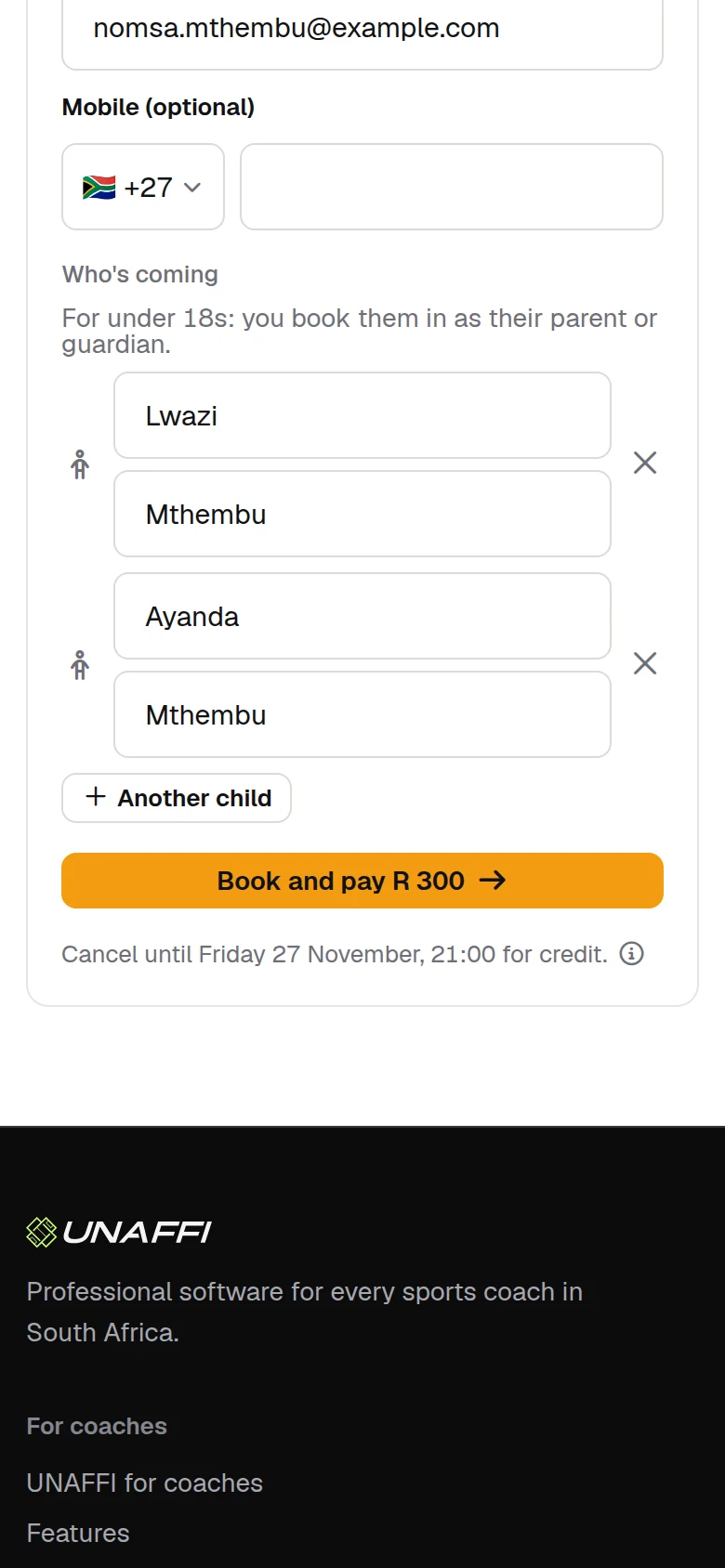
- Me if you're coming. A child for each of your children, with you as their parent or guardian. Another adult for a friend, with their own email address. Up to 10 at once.
- Some sessions say who they're for: Under 18s only books just children, and Adults only no children. Ages, like 5 to 8, are the coach's guide.
3. Pay, and you're booked
Book and pay opens Paystack's checkout. Your spots are held for 15 minutes while you pay; once it's paid, you're booked, and you get an email with a link to your booking. A free session is booked straight away. The coach has you as their client from then on, and may send you reminders before their sessions.
4. If plans change
- Cancel from your booking's link, up to the coach's cut-off (it says when as you book). What you paid becomes credit for your next booking with them.
- If the coach cancels the session, you're told, and get credit.
- Full? Join the waitlist. When a spot comes free, you're booked if it's free, or emailed a link to pay within 2 hours.
With an account, your bookings are under Account › Bookings, and once a coach links you, your sessions, invoices and their programs are under My coaching.
Questions
Do I need an account to book?
No. Give your names and email address, and the booking's email has a link to see or cancel it. With an account, sign in to book as yourself, and your bookings are under Account › Bookings.
Can I book my children in?
Yes. Untick Me if you're not coming, and add each child's names. You're their parent or guardian for the coach, who has your email address and mobile number to reach you.
How do I pay?
With Paystack, straight after you book: by card, or another way Paystack offers. Your spots are held for 15 minutes while you pay. A free session is booked straight away.
Can I cancel?
Yes, from your booking's link, up to the cut-off the coach set (it says when, as you book). What you paid becomes credit for your next booking with them. After the cut-off, you can't cancel.
What if it’s full?
Join its waitlist. When a spot comes free, you're booked straight away if it's free, or emailed a link to pay within 2 hours.