Let people book and pay for your sessions online
Make a session or class public: people book and pay on your page, become your clients, and join a waitlist when it’s full. Spots, prices and cut-offs are yours.
· Updated
Make a class, clinic or open session public, and anyone can book it from your page: they pick a session, pay with Paystack, and they're on it, as your client. You set the spots, the price and when it books. Here's how.
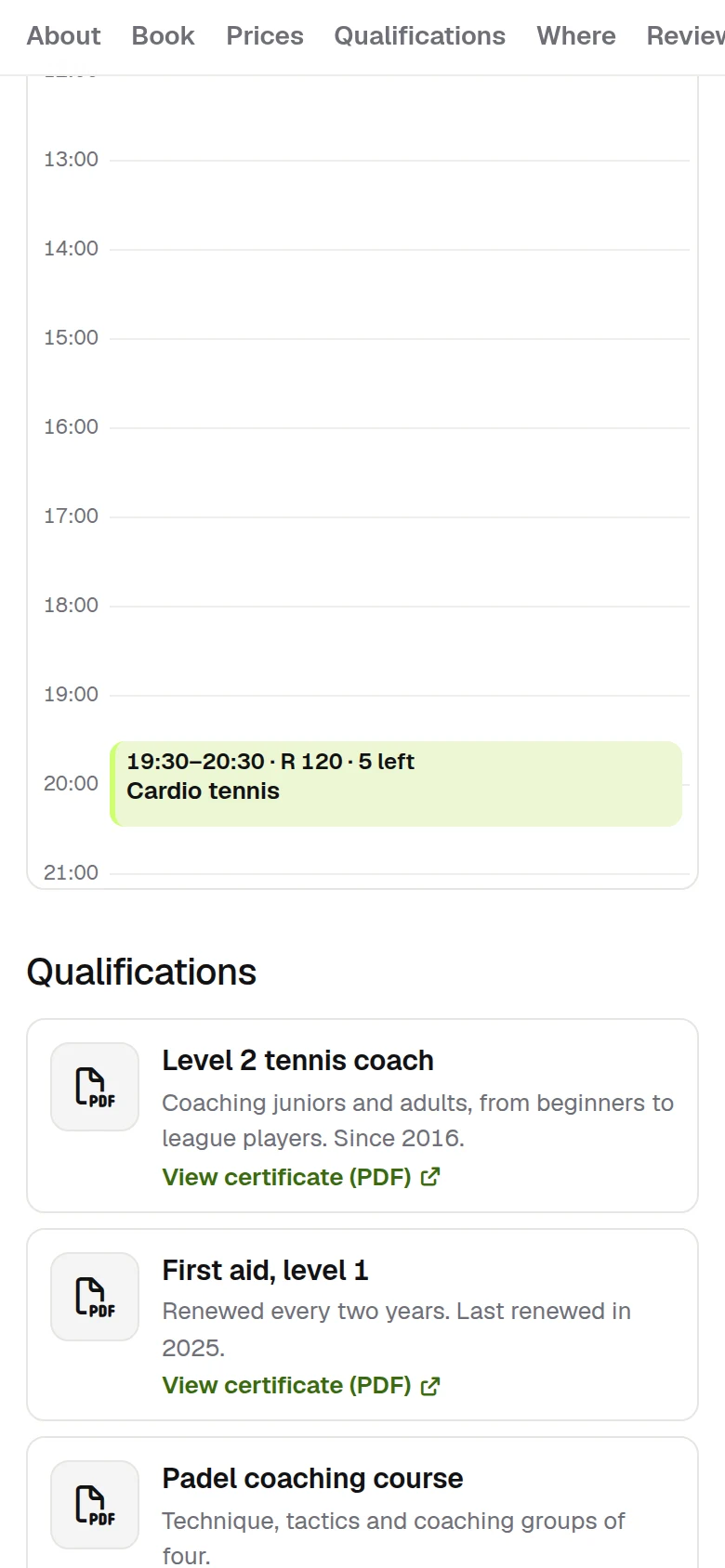
1. Make a session public
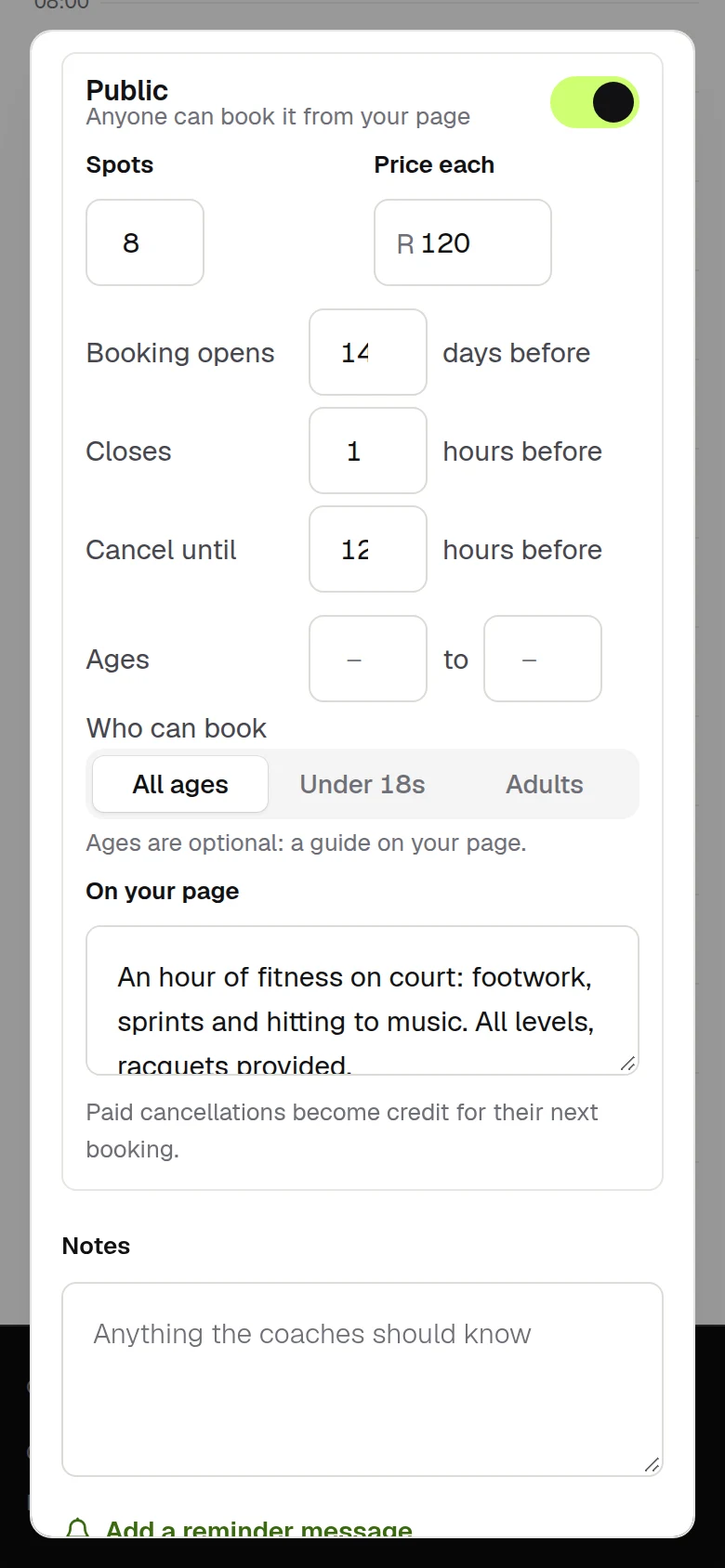
Open a session (or a repeat) on your Schedule, press Edit and switch on Public. Then set:
- Spots: how many can book.
- Price each: per person. R0 makes it free.
- Booking opens so many days before (14 to start with), closes so many hours before (1), and people can cancel until so many hours before (12).
- Ages: who it's meant for, from and to (5 to 8, say), a guide on your page. And who can book: All ages, Under 18s (parents book their children in, not themselves) or Adults (no children).
- On your page: a line or two on what it is and who it's for.
It needs a title. A priced one needs getting paid set up. Public sessions show a globe on your calendar.
2. How people book
A team's public sessions are on its team page, and your own coaching's on your coach profile, under Book a session: a calendar by day or week with each session's time, price and spots left. Each session has its own page and link to share too.
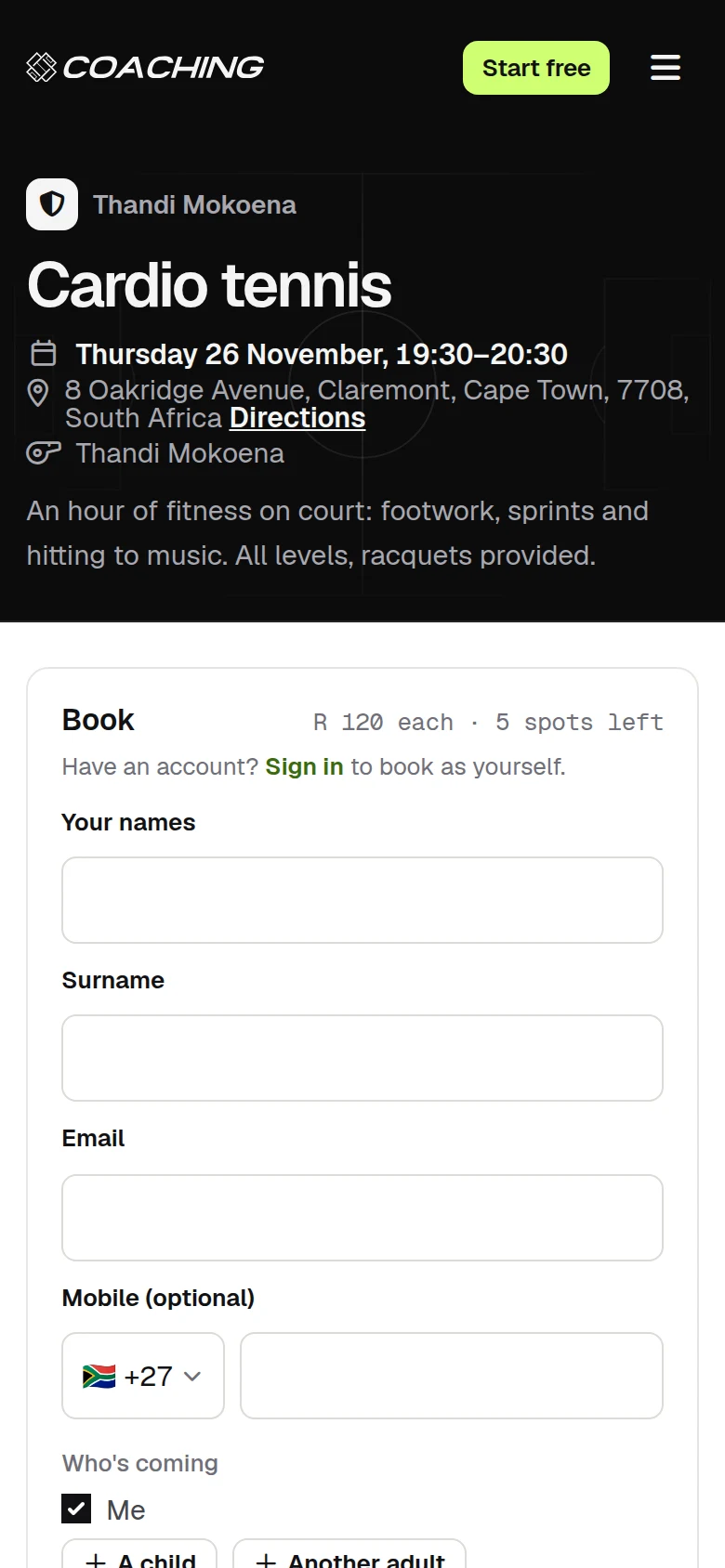
- How many: adults (themselves, and others with their own email address) and children (with them as parent or guardian). Up to 10 in a booking.
- Each person, one at a time: their names, and your form if the session has one (pick it under Form when you make it public). Their answers go on their client.
- Their own details: names and email address (and a mobile number if they like), or they sign in to book as themselves.
- They pay with Paystack. Their spots are held for 15 minutes while they do, and the booking's confirmed once it's paid. A free one is booked straight away.
They get an email with a link to their booking. With an account, it's under Account › Bookings too.
3. They become your clients
Each person booked is on the session, and in your clients: the client you already have (by their email address, or a child's name and parent's email), or a new one. A child is under 18, with the person who booked as their parent or guardian. Each gets an invoice for the session, paid, which shows in your Finance.
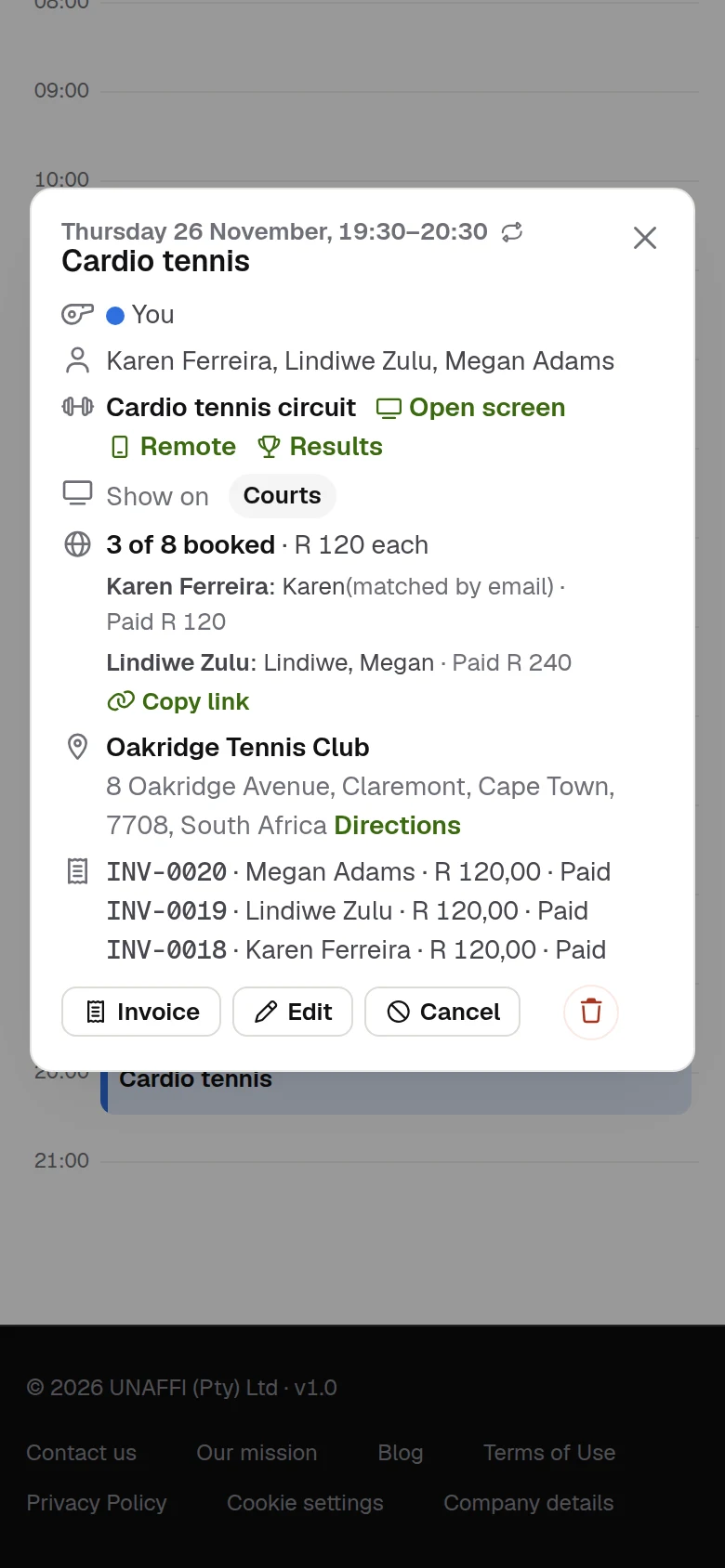
On the session you see how many are booked, who booked whom and what they paid, with Copy link to share it. You hear about each new booking and cancellation, in the app or by email.
4. Cancelling, and the waitlist
- They cancel from their booking's link, up to your cut-off. What they paid becomes credit, taken off their next booking with you. There's no refund to their card.
- You cancel the session: everyone booked is told, and gets credit.
- Full? People join the waitlist. When a spot comes free, the first who fits is booked if it's free, or emailed a link to pay within 2 hours, then it goes to the next.
5. On your own website
Have a website already? Under Settings › Page, Add to your website gives you a code to paste into it for your schedule, or your memberships. Your sessions show there as they do on your page, in your colours, and booking or joining opens here in a new tab. With sessions at more than one place, people pick a location; or choose one before you copy the code, for a page about that venue. It updates itself as you plan sessions.
Your page's sessions calendar has a location filter too, once you have sessions at two places or more.
6. Fill your sessions
- Share your page's link, or a session's, on WhatsApp and your socials.
- Put a free taster on: no money to think about, and they're your clients after.
- Put your sessions on the TV at your venue: between sessions it shows what's coming up, with a QR code to book.
Questions
Who can make a session public?
In a team, its owner and admins. In your solo coaching, you and your admin. It works on every plan. A session with a price needs getting paid set up first, under Finance › Settings, so the money has somewhere to go.
Where do people see my public sessions?
A team's go on its team page, and your solo coaching's on your coach profile, under Book a session, as a calendar by day or week. Each has its own booking page and link too, and the team's TV shows them between sessions.
Do people need an account to book?
No. They give their names and email address, or sign in to book as themselves. Their booking's email has a link to see or cancel it.
What happens when someone cancels?
Up to the cut-off you set (12 hours before, unless you change it), they can cancel from their booking's link. What they paid becomes credit, taken off their next booking with you. After the cut-off they can't cancel. If you cancel the session, everyone booked gets credit.
What happens when a session is full?
People join its waitlist. When a spot comes free, the first who fits is booked straight away if it's free, or emailed a link to pay within 2 hours, after which it goes to the next.
What does it cost?
Nothing extra from UNAFFI. Paystack's fee comes off each payment before it reaches your bank account, as with your invoices. Each booking's invoice counts towards your plan's invoices for the month, but never stops a booking.