UNAFFI on your phone: the app and its notifications
Add UNAFFI to your phone's home screen like an app, and get notifications for messages, applications, payments and tomorrow's sessions. Or by email.
· Updated
A reply to your application, a client paying an invoice, tomorrow's sessions: on UNAFFI you hear about them straight away, on your phone. Add UNAFFI to your home screen and it opens like any other app, with notifications that reach you even when it's closed.
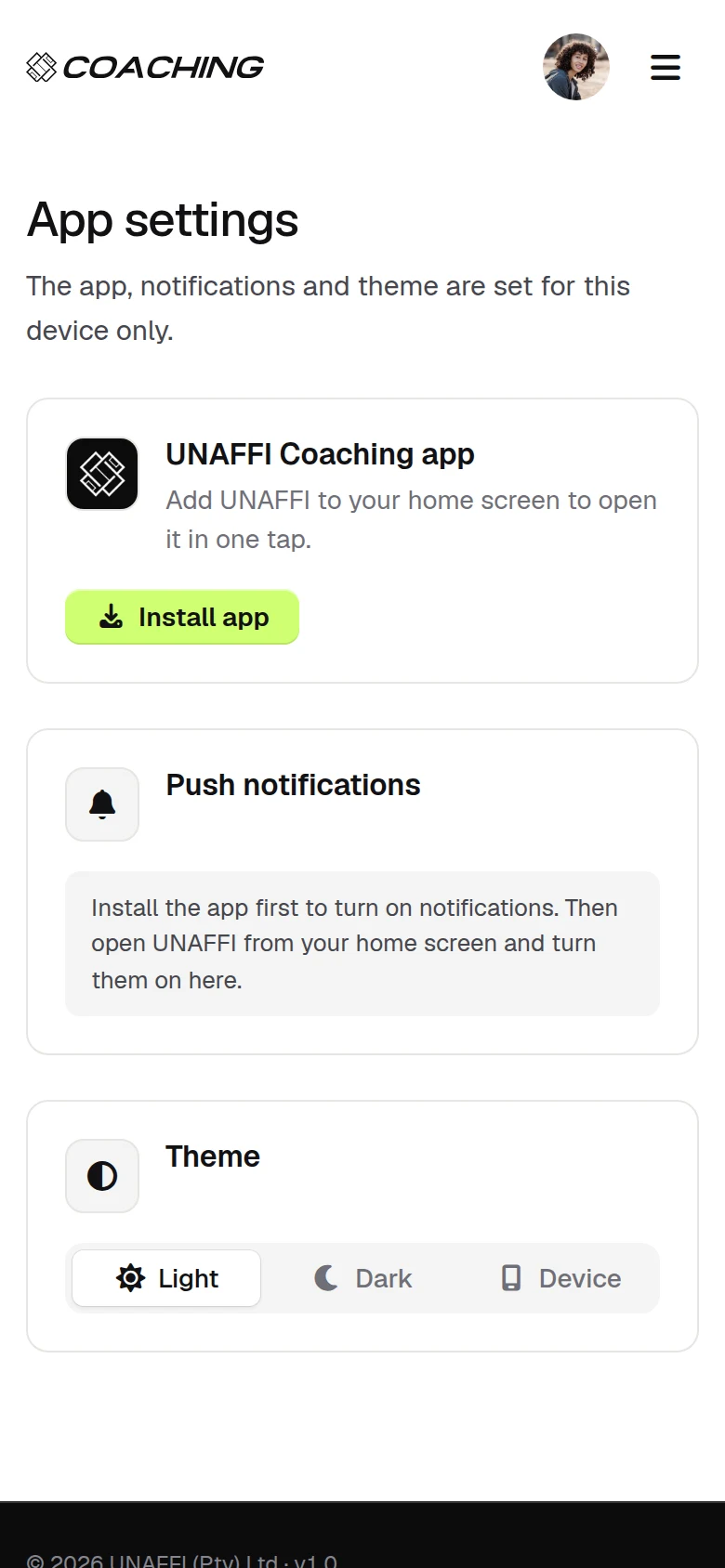
1. Add UNAFFI to your home screen
Open Account › App settings (in the menu at the top right) on your phone, and follow what it shows for your phone:
- Android: in Chrome, tap Install app. If there's no button, tap ⋮ at the top right, then Install app or Add to Home screen.
- iPhone: in Safari, tap the Share button (on newer iPhones it's under ···), then Add to Home Screen, then Add.
UNAFFI then opens from your home screen in one tap, like any other app: its icon is called Coaching. On Android you can also share contacts from your phone straight into it, to import them as clients.
2. Turn on notifications
In App settings, switch on Push notifications. On a phone, do it in the installed app: open UNAFFI from your home screen first. On an iPhone, that needs iOS 16.4 or later. Settings are for each device, so turn them on wherever you use UNAFFI.
3. What you hear about
- New messages from the people you've applied to.
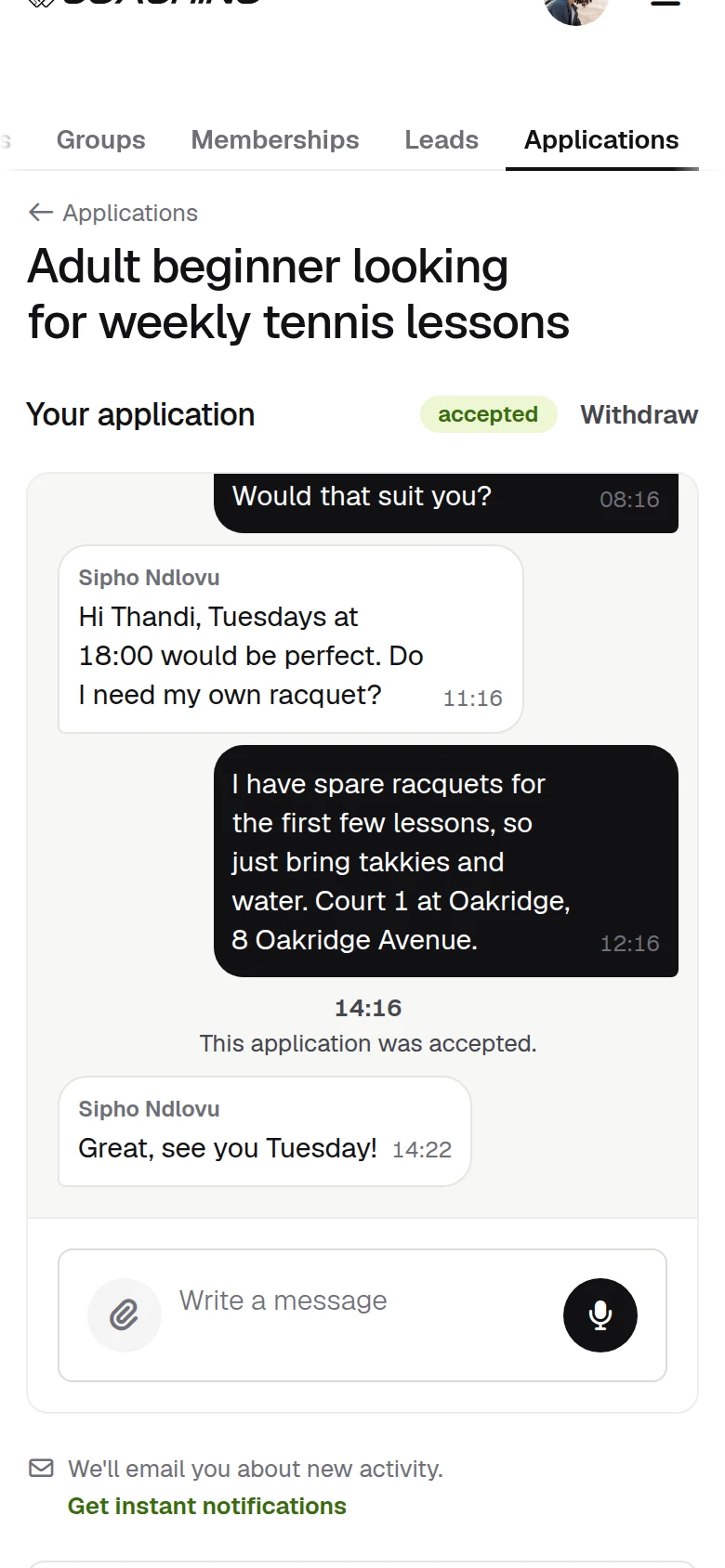
- Your applications: accepted ("Reply to arrange your first session"), declined, moved back to pending, or the person shared their contact details with you.
- An application credit returned, when an application wasn't opened within 14 days.
- Payments: "Payment received 🎉" when a client pays an invoice through Paystack (to a team's owners and admins).
- Tomorrow's sessions, every evening at 20:00 when you're coaching the next day, and changes someone else makes to today's sessions, or to tomorrow's once that email's gone.
- Your referrals: a new level reached, and a printed pack or prize you asked for on its way.
You're never told about what you did yourself, and a notification is skipped while you already have that page open. New requests aren't notified: they show up in your Leads as people post them.
4. Notifications or email
With notifications on, on any of your devices, you get a notification. For messages and your applications, if it's still unread about an hour later, an email follows, so a reply doesn't slip past. Without notifications, you're emailed straight away instead. Tomorrow's sessions come by email every evening either way. Under each chat, a line tells you which you're getting.
5. Your clients hear too
Turn on session reminders and your clients, or a child's parents, are reminded before each session, and told if it's cancelled, moved or changes place. By email, with their personal link to their UNAFFI account. Once they've linked it and turned on notifications in their own App settings, it comes as a notification that opens their sessions instead.
6. Light or dark
App settings also has the theme: Light, Dark, or Device to follow your phone's setting.
Questions
How do I get the UNAFFI app?
You add it from your browser. On Android, in Chrome, tap Install app (or ⋮, then Install app or Add to Home screen). On an iPhone, in Safari, tap Share, then Add to Home Screen, then Add. It then opens from your home screen like any other app.
Why can't I turn on notifications on my phone?
On a phone, notifications work in the installed app. Add UNAFFI to your home screen first, open it from there, then turn them on under App settings. On an iPhone, that needs iOS 16.4 or later.
Will I still get emails?
Without notifications, you're emailed about new activity straight away. With them on, you get a notification instead, and for messages and applications an email follows if it's still unread about an hour later. Tomorrow's sessions come by email every evening as well.
Am I notified about new requests in my area?
No. New requests show up in your Leads as people post them, so open it whenever you have room for a new client.
Do my clients get notifications?
If you turn on session reminders (Schedule › Reminders), yes. Clients, or a child's parents, are reminded by email. Once they've linked their UNAFFI account, by the personal link in your emails, and turned on notifications in their own App settings, it comes as a notification. So does any change after it: cancelled, moved, or a new time or place.