How to find new coaching clients in South Africa
People post the coaching they're looking for, by sport and town. See the requests near you in your Leads, apply to the ones that suit you, and chat to arrange it.
· Updated
Parents looking for a coach for their child, adults wanting to learn, schools and clubs needing someone for a team: on UNAFFI they post what they're looking for, and coaches apply to them. Those posts are your leads: under Clients › Leads you see the ones in your sports and towns, newest first. Apply to the ones that suit you, and chat with the person to arrange it.
1. Where the requests come from
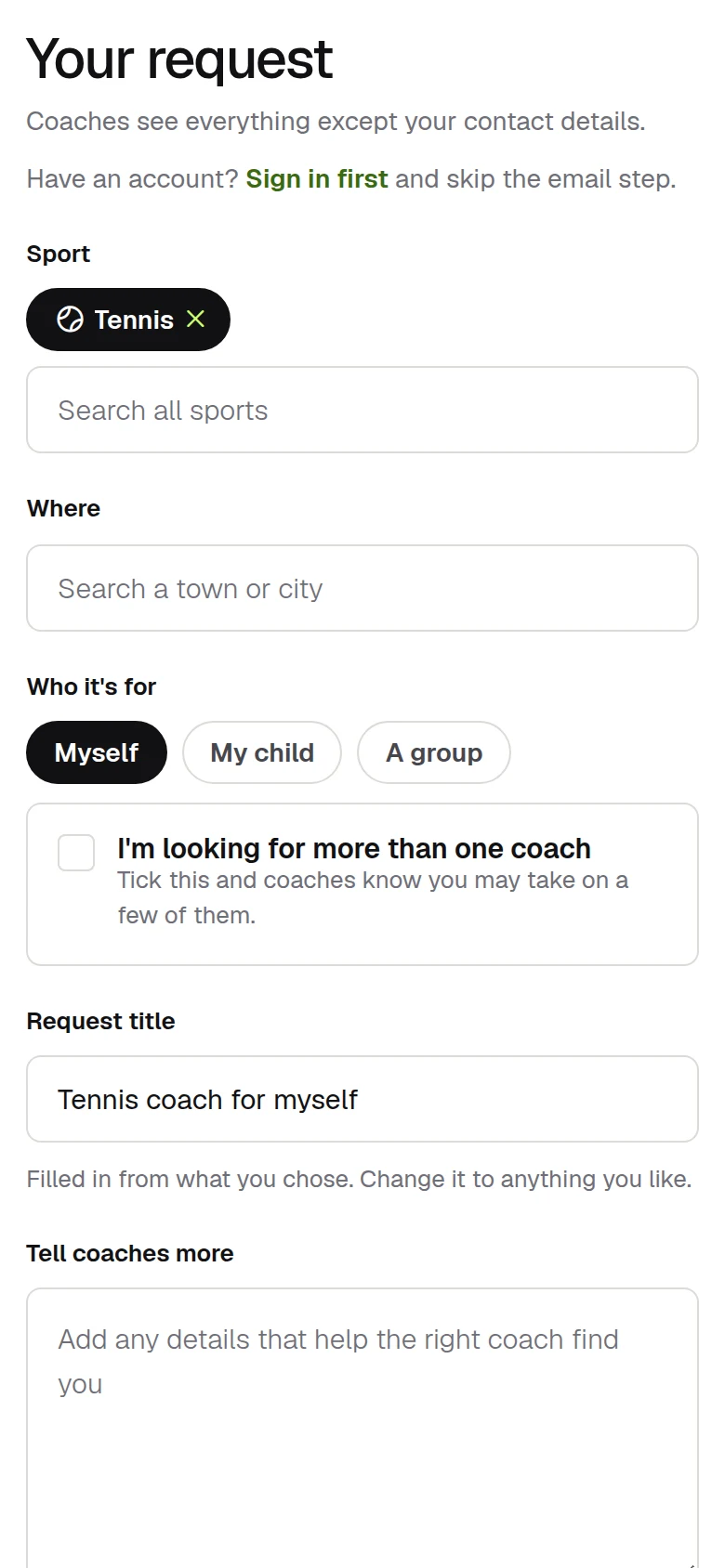
People looking for a coach fill in a short request on UNAFFI, free: the sport, the town or city, whether it's for themselves, their child or a group, a title, and what they're looking for. They can say they're happy to take on more than one coach, and give a mobile number for UNAFFI, which coaches never see. Someone without an account confirms their request by email before it goes live.
2. Your leads
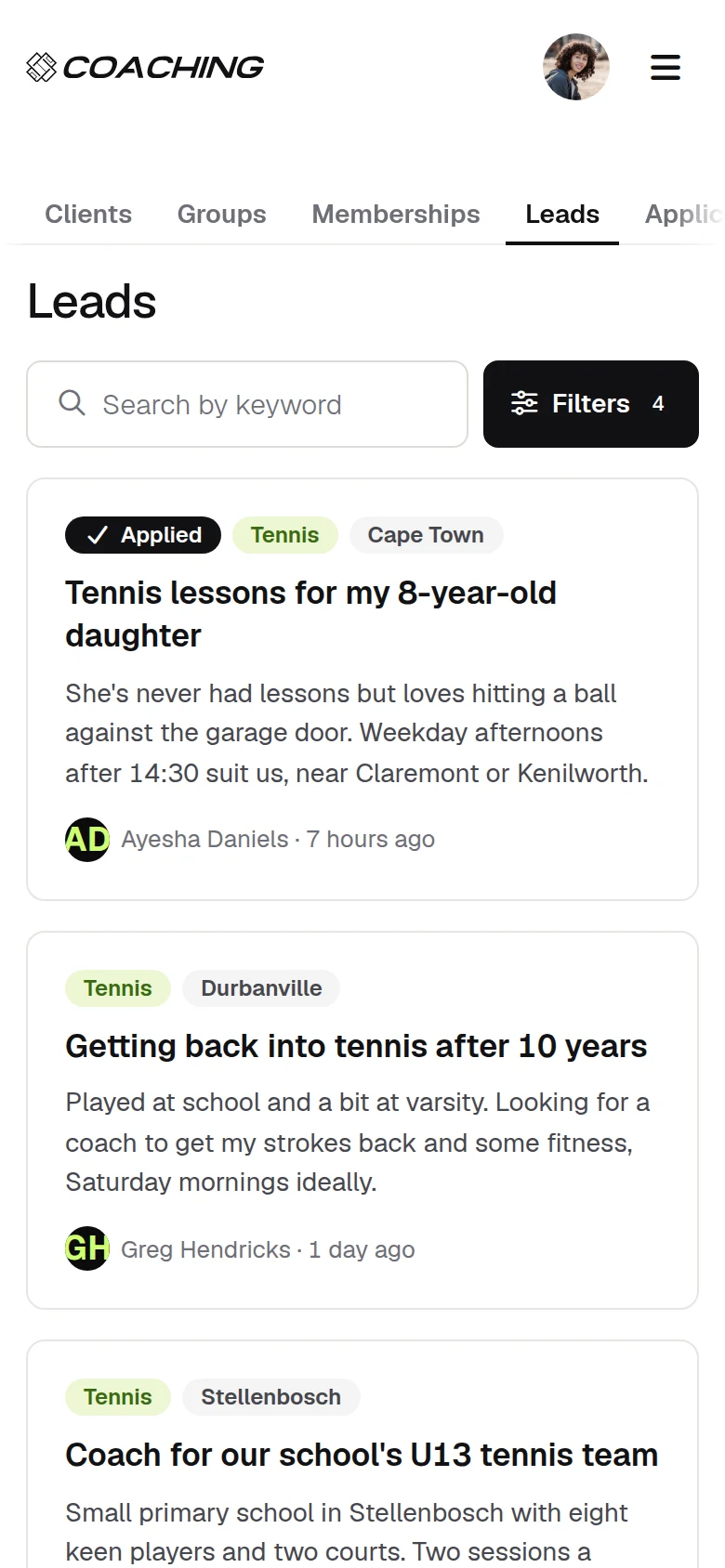
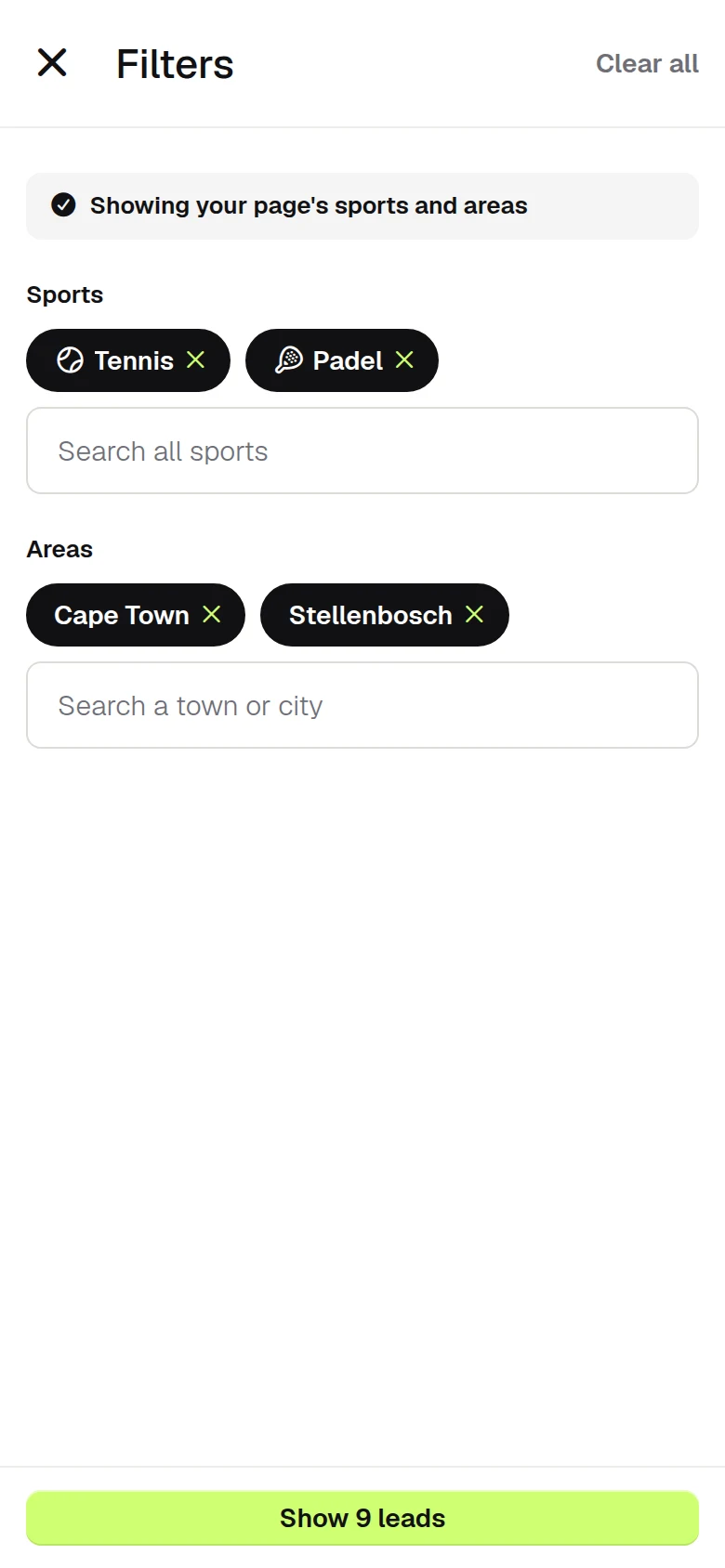
Once you've filled in About you on your coach profile (the Coach workspace asks for it first), your leads are under Clients › Leads. They start with your profile's sports and towns ("Showing your coach profile's sports and areas"), so you see what's near you first. Each request shows:
- its sports and towns;
- its title and what they're looking for, in their words;
- who posted it, with their photo, and when;
- an Applied mark on the ones you've applied to.
Search by keyword (it looks through titles, descriptions and place names, and forgives a typo), or open Filters to add sports and towns, or take them away. Use my coach profile puts your own back.
3. How towns are matched
You choose the towns and cities you coach in on your profile, and people choose theirs on their post. Each one covers its area on the map, and the requests in your areas are the ones you see. A post can have more than one place, and shows up for any of them.
4. Contact details stay hidden
Nobody's email address or number is shown on a request, theirs or yours. Posters see your name, photo, rating and coach profile. Everything is arranged in the chat that starts when you apply, and they can choose to share their contact details with you there.
5. Check back often
New requests appear in your Leads as people post them, newest first. You aren't sent a notification for each one, so open Leads whenever you have room for a new client. Sometimes the UNAFFI team sends you a link to a request that suits you, on WhatsApp or by email: open it to apply. A request stays up until the person who posted it hides it, or UNAFFI removes it.
6. Coaching in a team?
A team's owner and admins see its leads and apply for it, once one of its coaches has a complete profile. Coaching for a team, but want to apply as yourself? Switch to Solo coaching on Leads.
7. Then apply
Found one that suits you? Open it, write a short note and apply. Applying uses one of your plan's applications for the month, or past those an application credit, R49, which comes back if they don't open it within 14 days. See how applying and chatting work.
Questions
Does it cost anything to see the requests?
No. Seeing your leads is free on every plan once your photo and solo coaching are complete. Applying uses one of your plan's applications for the month, or an application credit (R49) past those.
Which posts do I see?
Your leads start with your page's sports and towns: your solo coaching's, or your team's. Change the filters to see other sports or places, or clear them to see every request.
Am I told when there's a new request?
No. New requests show up in your Leads as people post them, newest first, so check Leads whenever you have room for a new client. The UNAFFI team may also send you a link to one that suits you.
Can I see the contact details of the person who posted?
Not on the request. Once you've applied, they can choose to share their name and an email address or mobile number with you: you're told, and they show on your application. Yours stay hidden: share them in the chat if you want to.