Memberships and recurring invoices: get paid every month without chasing
Set up a membership, like a squad at R1 200 a month. Clients join from your page or you add them, and their card is charged every period. Or repeat any amount.
A squad at R1 200 a month, private lessons at R450 a week, a yearly club fee: set it up once, and UNAFFI makes each invoice on its day, sends it, and charges your client's card. Here's how.
1. Set up a membership
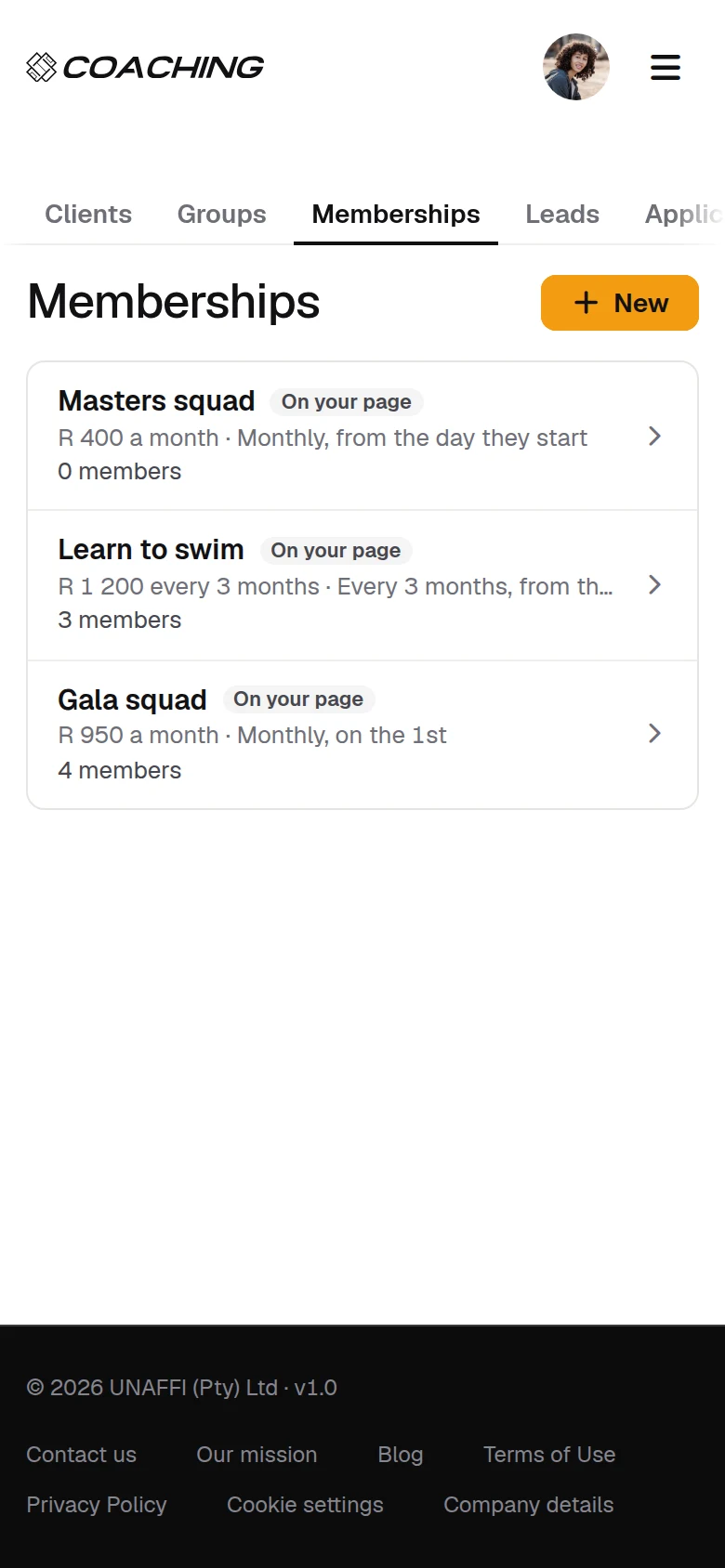
Go to Clients › Memberships and press New. Give it a name, a price and how often it's paid: weekly, every 2 weeks, monthly, every 3 months or yearly.
Then choose when it's paid:
- From the day they start. Each member pays every period from their own start: someone joining on the 14th pays on the 14th of each month.
- On set days. Everyone pays on the same day, like the 1st of each month. Someone starting in between pays for the days until then, worked out from the price, or the full amount, as you choose.
You can also put its members in a client group, to add them all to a session at once.
2. Let people join from your page
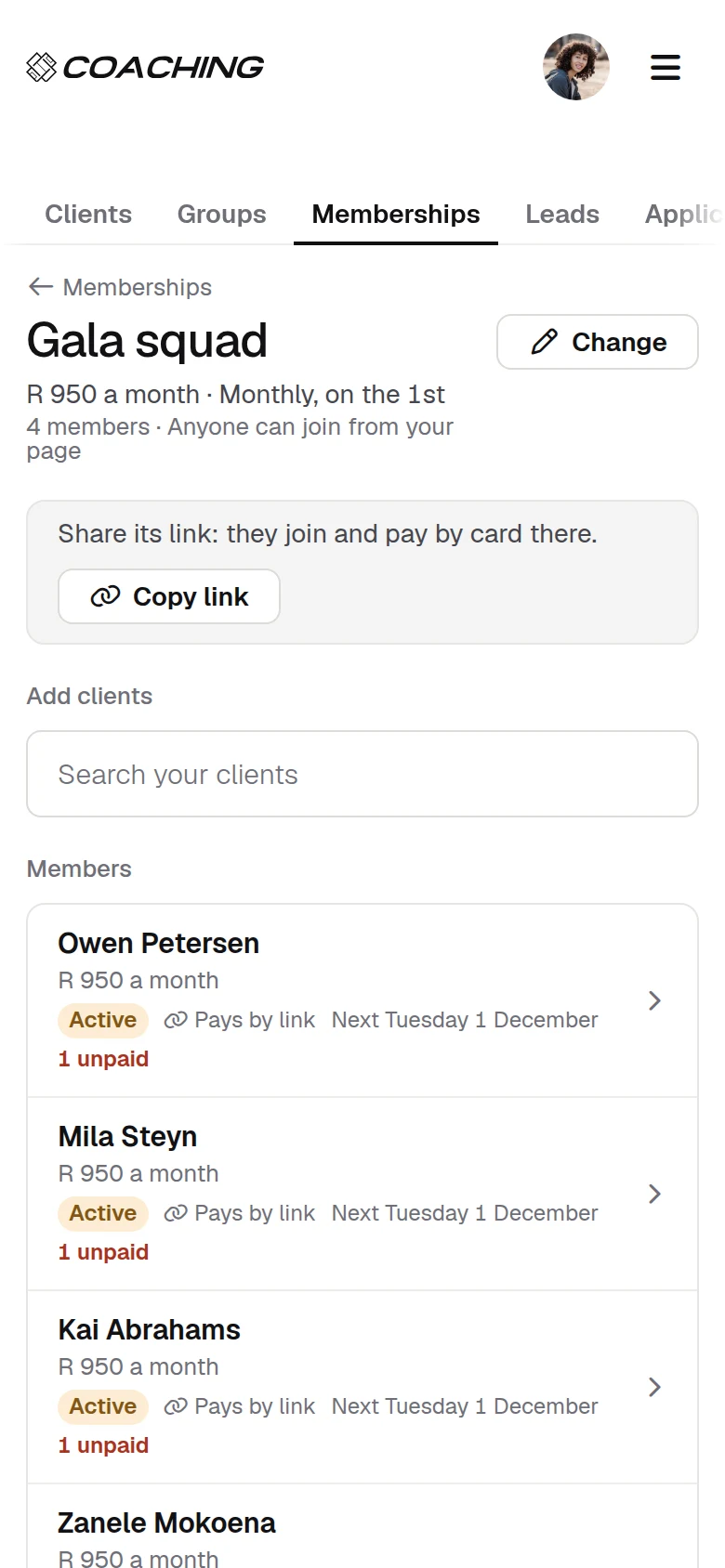
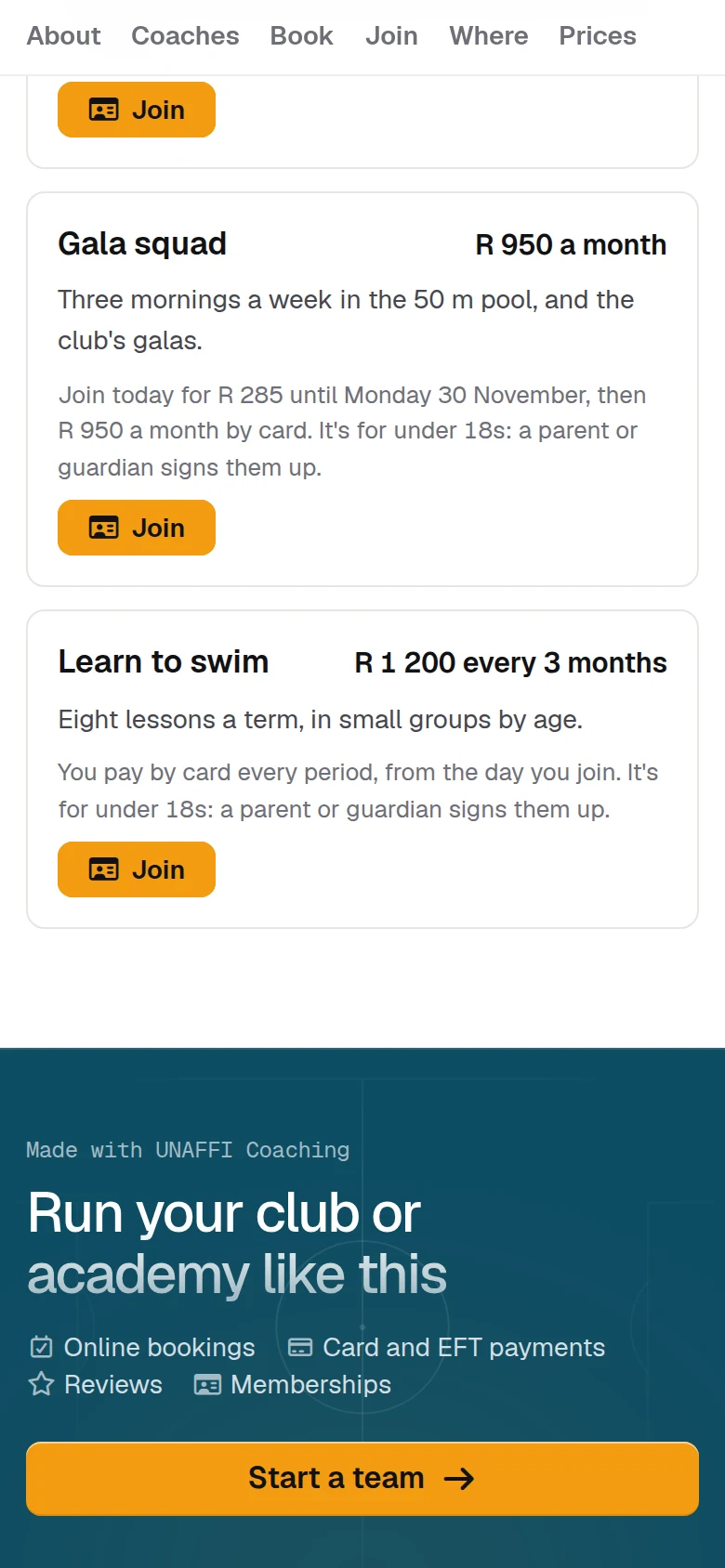
Switch on Anyone can join from your page, and the membership shows on your team page or coach profile with a Join button. Copy its link from the membership's page to share it too.
They say how many are joining (themselves, other adults with their own email address, and their children, as their parent or guardian), fill in each person (and your form, if you picked one for the membership), and pay the first period by card. They become your clients, with their answers, their card is saved for the rest, and you hear about each new member.
3. Add clients yourself
On the membership's page, search your clients, choose the day they start, and press Add. Those with an email address (theirs or a parent's) are told they're on it. Their first invoice is made that day, and when they pay it online they can tick Pay my next invoices with this card.
4. Repeat any amount
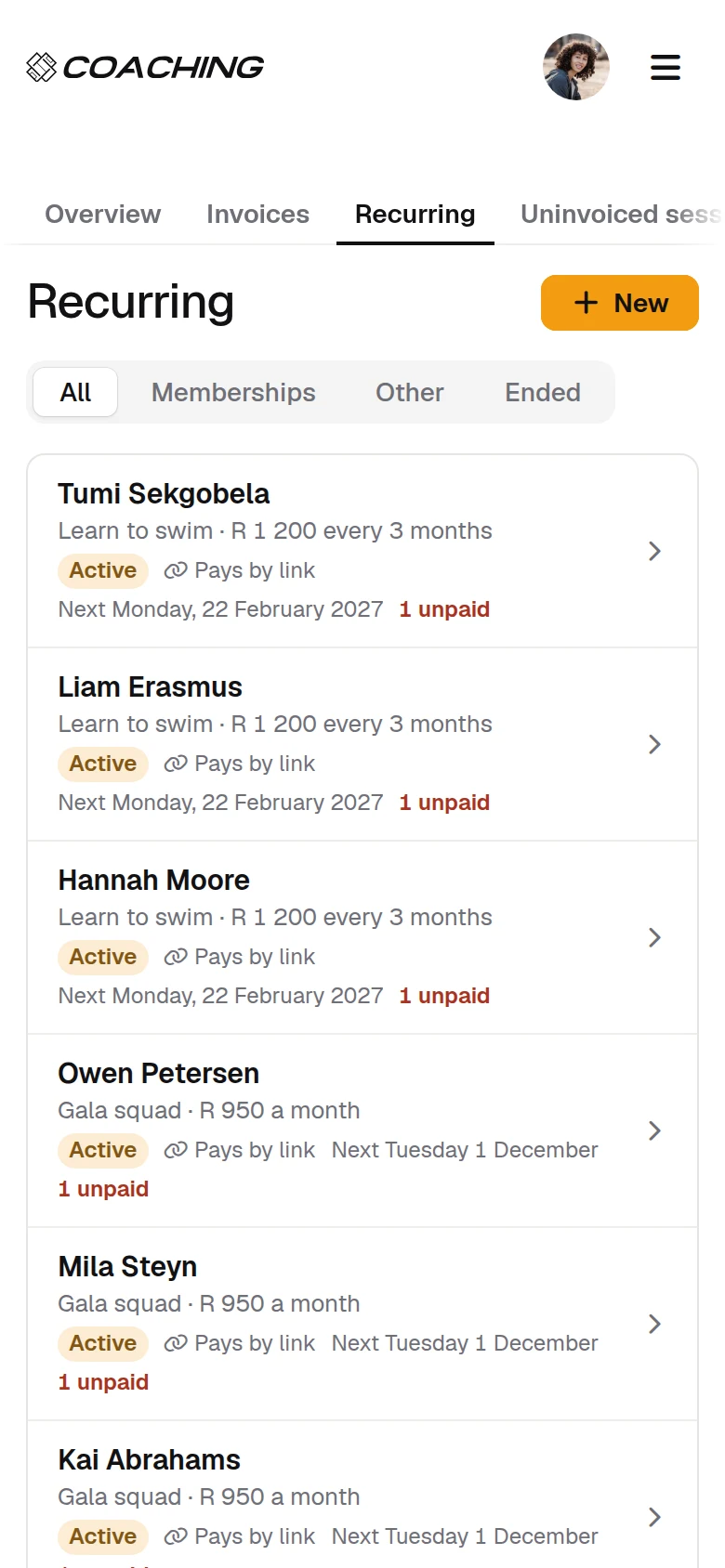
For something that isn't a membership, make a new invoice for An amount and choose Repeats. Choose how often, the first invoice's day, and when it ends: when you end it, on a day, or after a number of invoices. You'll find them all under Finance › Recurring, and each client's on their Invoices tab.
5. Keep track
- Each client shows small chips for the memberships they're on, on your client list and their page. Filter the list by a membership to see its members.
- A chip turns red when a card payment fails. The client is emailed and the card is tried again the next day; after that, they pay by the invoice's link.
- Open a member, or any recurring invoice, to pause it, stop emailing its invoices, give it an end day, or end it now or after the period invoiced last.
- Deactivating a client ends their memberships and recurring invoices.
Questions
How does paying by card every month work?
When a client joins a membership on your page, they pay their first period by card, and that card pays the rest on their days. A client you add saves their card when they pay their first invoice, by ticking the box. Paystack keeps the card; UNAFFI never sees its number. If a payment fails, they're emailed and the card is tried again the next day.
Can my clients cancel?
Yes, at any time, from the link in their emails or their account. A cancelled membership ends with the period they were invoiced for, and you hear about it. They can also take their card off and pay each invoice by its link instead.
What happens when I change the price?
Every member is emailed, and the new price applies from their next invoice. How often it bills and on which days only change while nobody is on it.
What does it cost?
Nothing extra from UNAFFI: it works on every plan. Paystack's fee comes off each card payment before it reaches your bank account, as with your other invoices. Each invoice counts towards your plan's invoices for the month.
What if my plan's invoices for the month are used up?
The invoice waits, and you're told. It goes out as soon as there's room: when you buy invoice credits, choose a bigger plan, or a new month starts.