Give your sports academy or coaching team its own page
A public page at your own link for your academy, club or coaching team: your coaches, the sports they coach, where you coach, photos and who you are.
· Updated
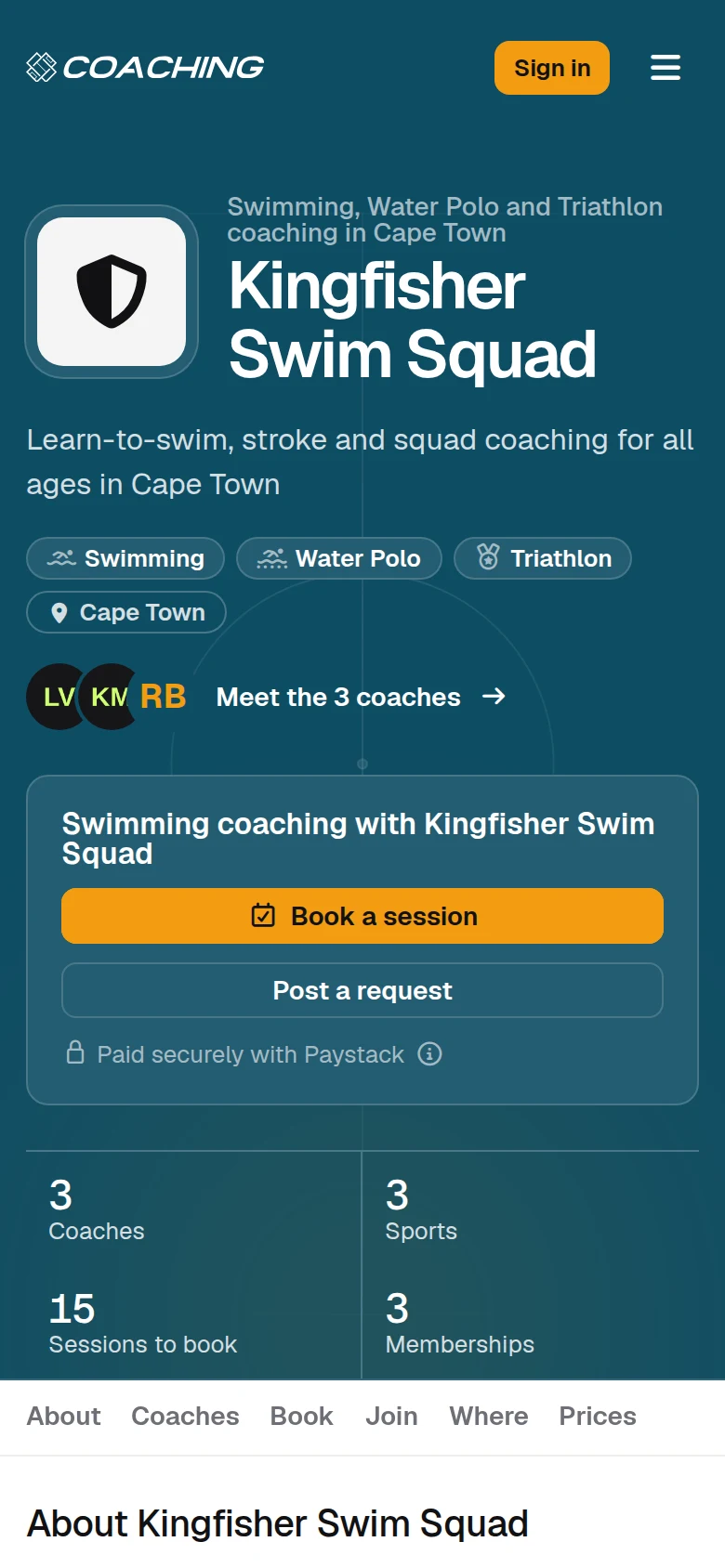
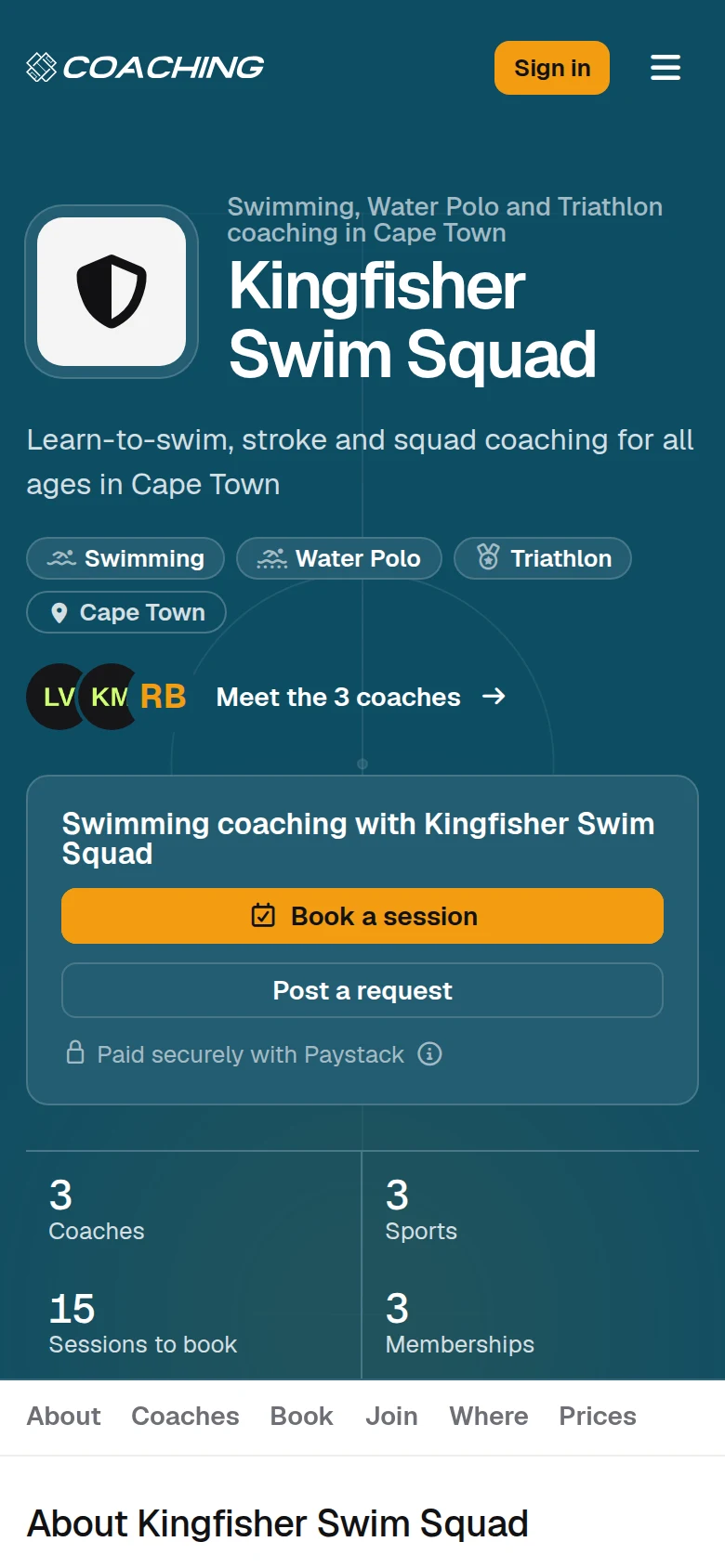
A team on UNAFFI, such as a sports academy, a club's coaches or a coaching business, has its own public page at its own link, like coaching.unaffi.com/o/kingfisher-swim-squad. It shows who you are, your coaches and the sports they coach, where you coach, and photos. Here's what's on it, how to fill it in, and where people find it.
1. Which teams have one
Every team on the Team, Academy or Unlimited plan has a page while its subscription runs. There's nothing to switch on. If its subscription ends, the page is closed until the team subscribes again. A coach's solo coaching, on Free or Coach, has their own coach profile instead.
2. What's on it
- Your team's name and logo, how many coaches and sports it has, and a line under its name, in your team's colours.
- The sports your coaches coach and the towns you coach in.
- About: your description, with headings, lists and links if you like.
- Prices: a guide to what you charge, set by the owner and admins.
- Book a session: your public sessions, by day or week, to book and pay for.
- Where you coach: a map, with the towns and cities under it.
- Coaches: everyone coaching in the team with a public page, with their photo, tagline, rating and what they coach with you, each linking to their profile. Tap a sport to see who coaches it.
- Gallery: photos and short videos of your squads, sessions and venues, which open full screen.
Parts with nothing in them don't show. There's no email address or number on it. Someone looking for coaching can post a request from it, and your team can apply to it.
3. Fill it in
Under Settings › Team page, for the team's owner and its admins. Each part saves on its own:
- Your link, at the top: Copy link, and for the owner Change, to any free name of 3 to 40 letters, numbers and hyphens. The old link stops working straight away.
- Name and logo, for the owner: they show wherever your team does, on applications and invoices too.
- Colours: a Banner colour and a Buttons colour, picked or typed, or From your logo. Your page, your team's coach space, the emails your clients get, and your invoices, statements and pay pages are drawn in them. Use UNAFFI's colours goes back.
- About the team: a tagline of up to 120 characters, and a description of up to 3,000, with headings, bold, lists, quotes and links. Say who you are, your coaches and venues, your squads and programs, and how to join.
- Where you coach: the towns and cities on your map, up to 20. Leave it empty and the page shows your coaches' towns.
- Prices: up to 12, each with what it's for, an amount and what it's per, and a line under them. A guide, as on a coach's profile.
- Gallery: up to 30 photos and videos (a minute at most), several at a time, in your order, each with a caption if you like. Only photos you may share, and ask parents before showing their children.
Coaches and sports: everyone coaching in the team with a public page is on it. Choose what each coaches with you; until you do, it's what their own profile says. A coach whose profile isn't filled in yet, or who has hidden their page, doesn't show, and this says who. Invite coaches under Team.
4. Where people find it
- Through your link: share it with parents and players, and put it on your website, your socials and your flyers. From your page, as its owner or an admin, press Copy link, or Edit page to change it.
- On your coaches' profiles: each coach profile says which teams they coach for, linking to their pages.
- In search engines: titled with your name, your sports and your first town, like "Kingfisher Swim Squad – Swimming & Water Polo coaching in Cape Town".
5. Make it count
- Add your logo, and a tagline that says what you coach and where.
- In your description, say who you coach (ages, levels), where and when, and how someone joins.
- Ask your coaches to fill in their profiles: they're your page's coaches.
- Add photos of your sessions and venues.
Questions
Which teams have a page?
Every team on the Team, Academy or Unlimited plan, while its subscription runs. There's nothing to switch on. If its subscription ends, its page is closed until it subscribes again. A coach's solo coaching, on Free or Coach, is their own page instead.
What's my team page's link?
coaching.unaffi.com/o/ and a name, made from your team's name when you start it, like coaching.unaffi.com/o/kingfisher-swim-squad. Its owner can change it under Settings › Team page to any free name of 3 to 40 letters, numbers and hyphens. The old link stops working straight away.
Who can change the page?
The team's owner and admins: its colours, tagline, description, towns, gallery and what each coach coaches with the team. The team's name, logo and link are the owner's. Who's on it comes from the coaches with a public page.
Which coaches show on it?
Everyone coaching in the team with a public coach page, in the order they joined, each with the sports the team set for them (or their own profile's), linking to their profile. A coach whose profile isn't filled in yet, or who has hidden their page, isn't shown.
Can people contact my team from the page?
Not directly: your page shows no email address or number. It has a button to post a request, which goes to the coaches in its sport and area, your team's too, and you apply to it as the team.
Does a team page cost extra?
No. It comes with the Team, Academy and Unlimited plans, with up to 30 photos and videos, your colours and its own link.