How to pay your team's coaches in one payment
See what each of your coaches did, make their invoices by the hour, session or share of revenue, pay your admins too, and pay everyone at once by card, EFT or Capitec Pay.
· Updated
A team on UNAFFI pays its coaches the way a client pays a coach: by invoice, into their bank account, through Paystack. You see what each coach did, make each one's invoice from it, and pay them all in one payment. Paystack's fee comes off each coach's share, and UNAFFI takes nothing.
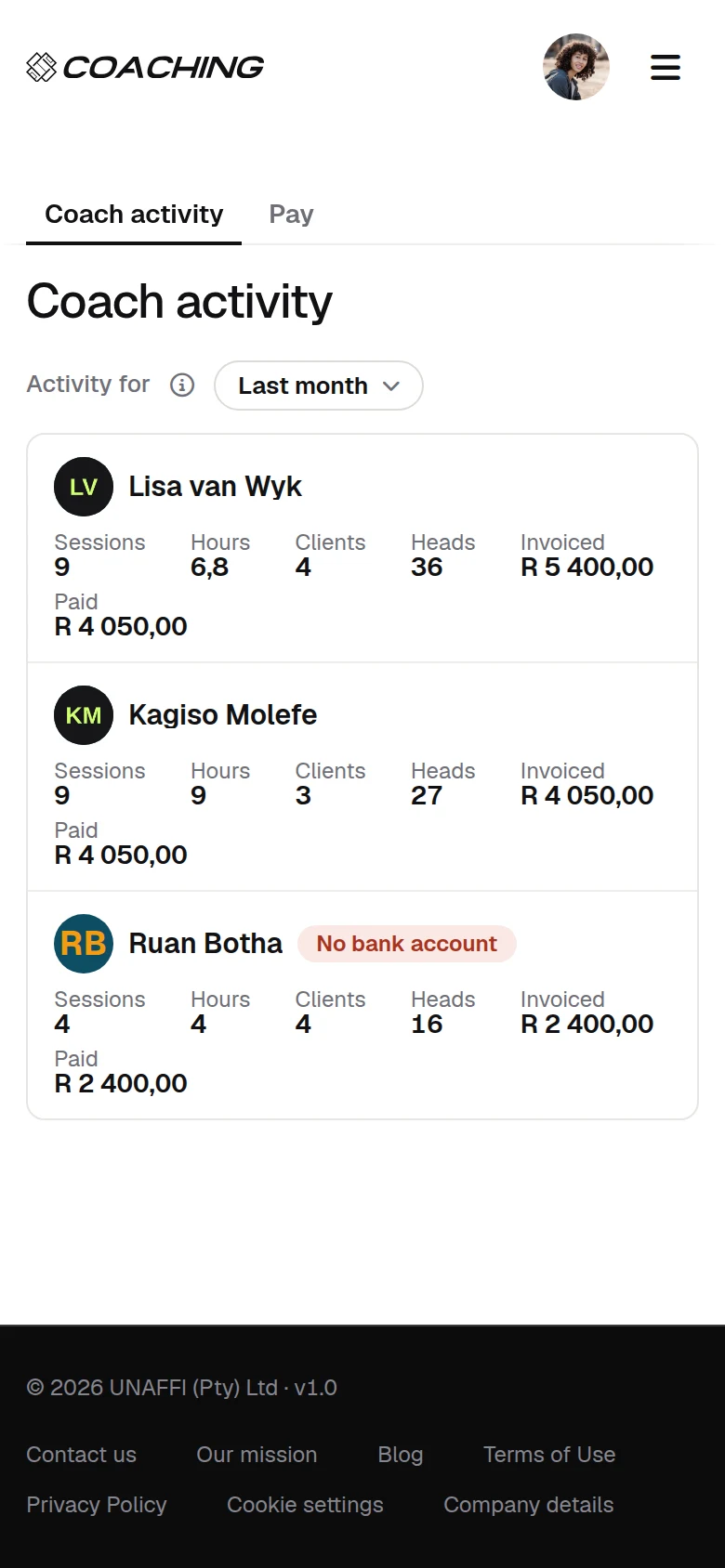
1. See what each coach did
Under Team › Coach activity, for the team's owner and admins on the Team, Academy or Unlimited plan. Choose This month, Last month or your own days, and each coach shows their sessions, hours, clients, heads (every client at every session), and what was invoiced and paid for their sessions. A coach without a bank account yet says so.
2. Add their pay
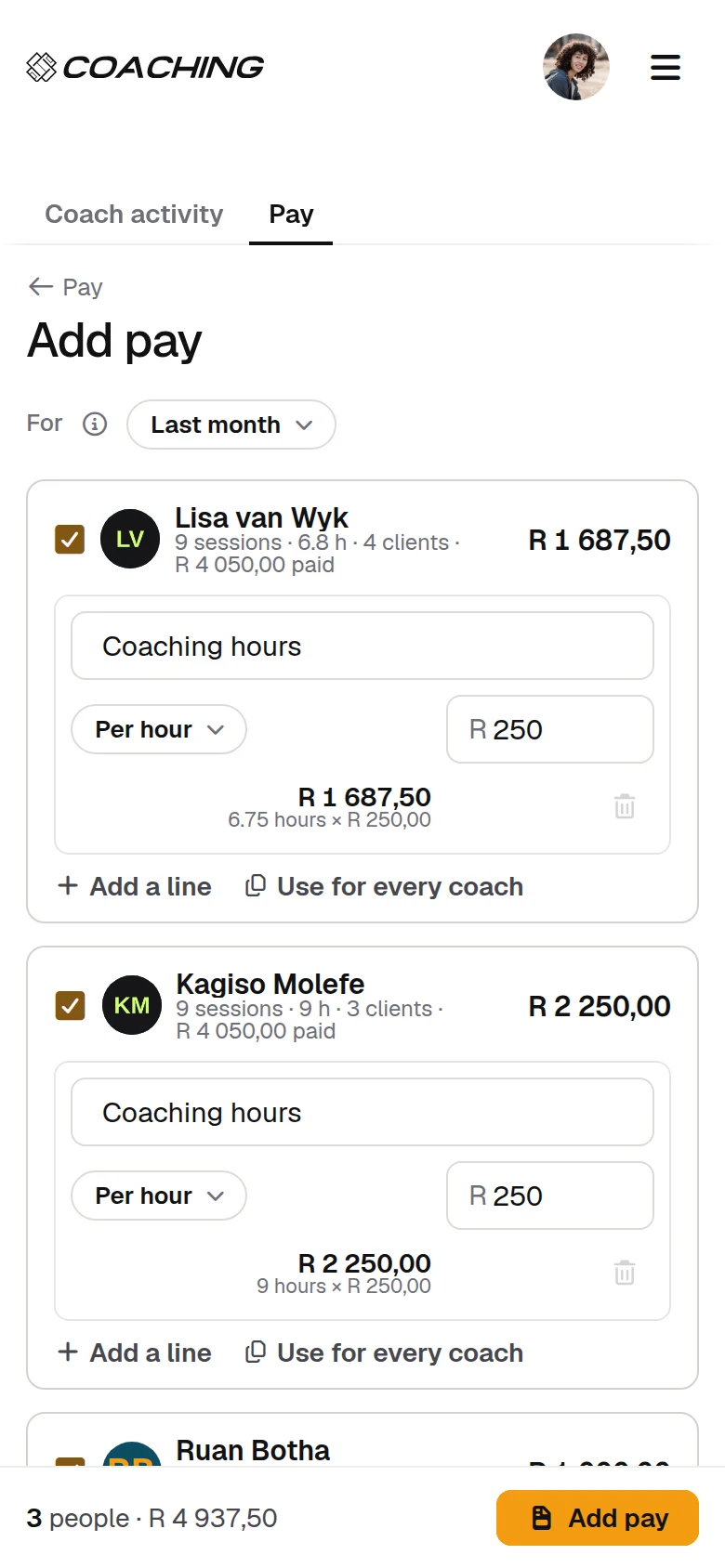
Under Team › Pay, press Add pay and choose the period. For each ticked coach, give one or more lines:
- Amount: a fixed amount you type.
- Per hour, Per session, Per client or Per head: a rate, times what they did in the period.
- % of revenue: a share of what was paid for their sessions.
Use for every coach copies a coach's lines to the rest. Then Add pay: each is an invoice from the coach's solo coaching to your team, and each coach is emailed. A coach who's a VAT vendor approves theirs first.
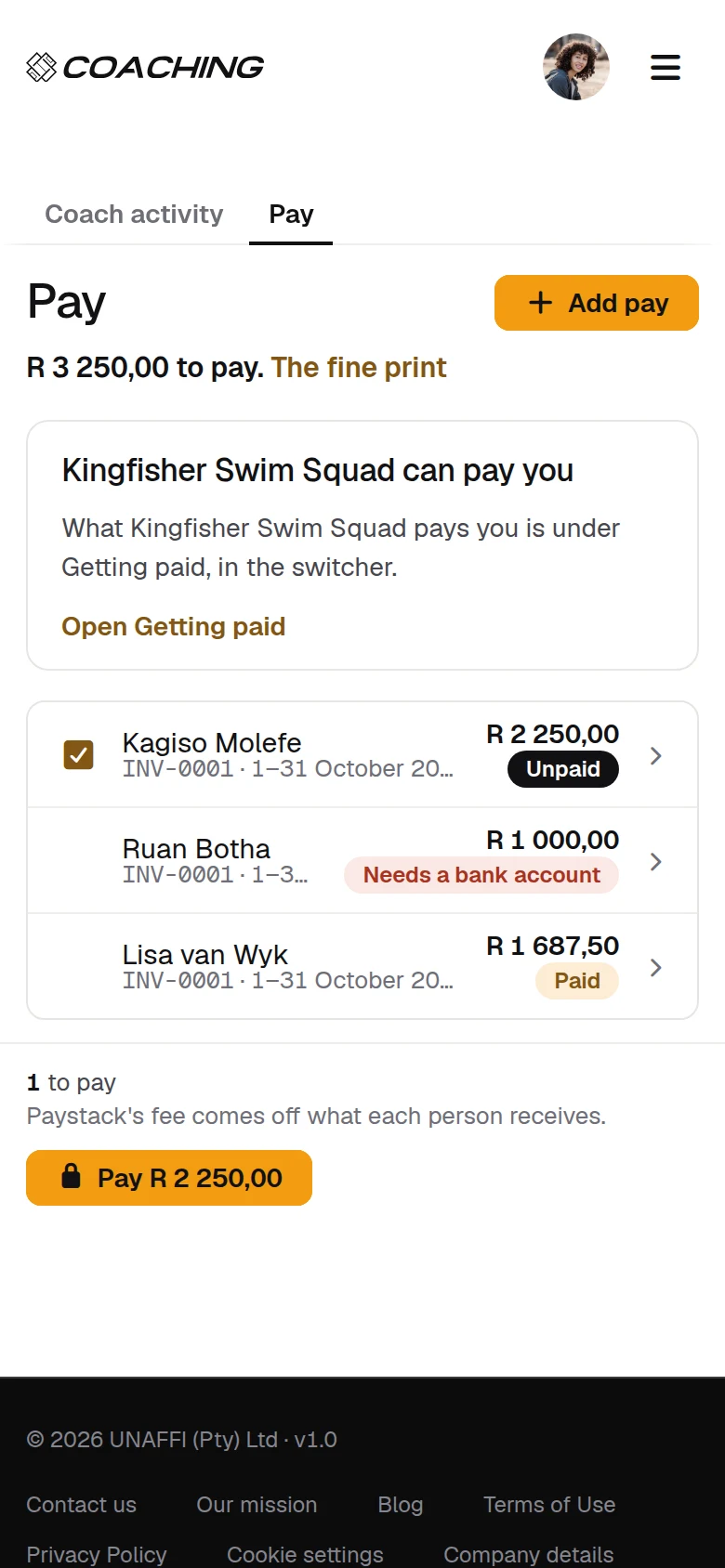
3. Pay them all at once
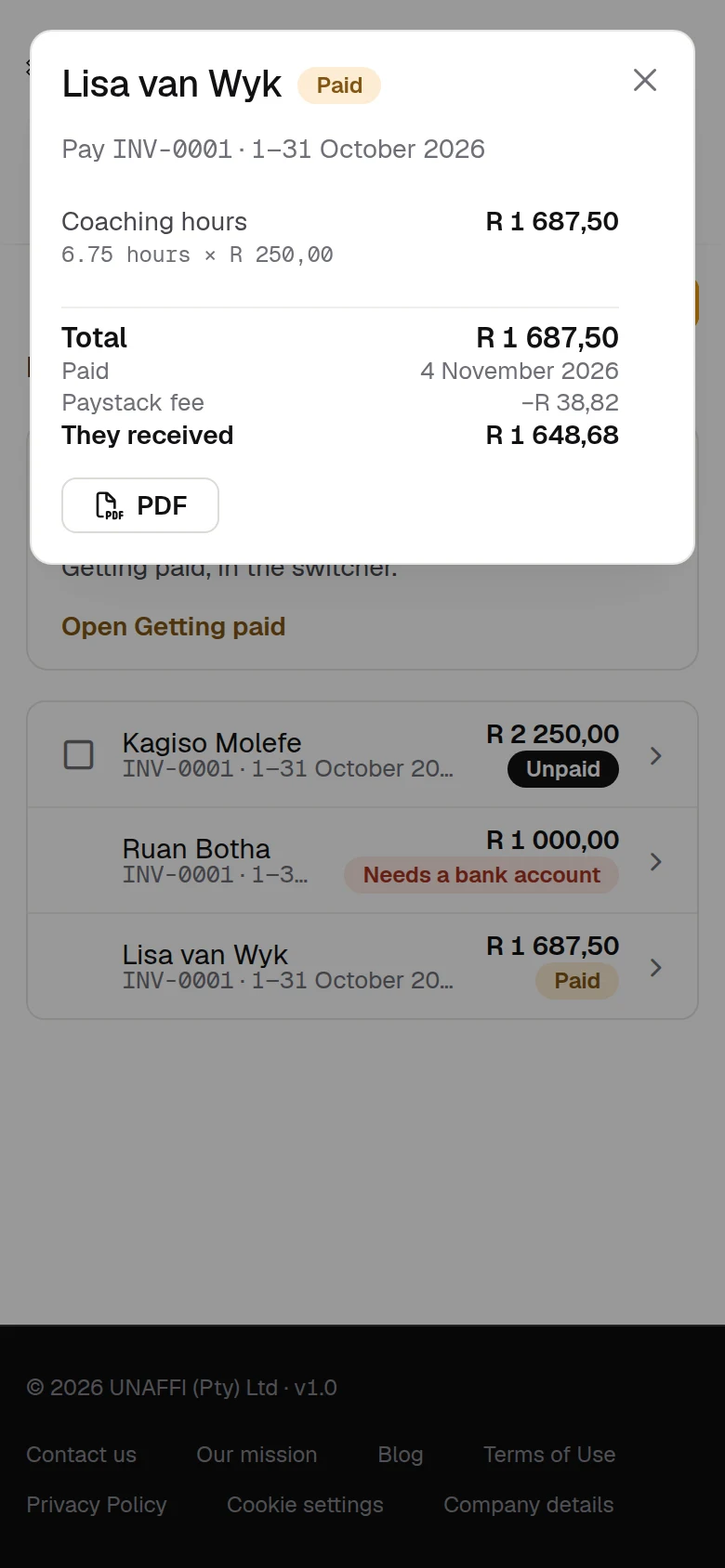
Tick the invoices to pay (or Tick all to pay) and press Pay. One Paystack payment, by card, EFT or Capitec Pay, splits into each coach's bank account. Paystack's fee comes off each coach's share. If a payment comes in a little over or under, the difference goes into that coach's next invoice, interest free.
4. What your coaches see
Each coach finds the team's invoices in their solo coaching, under Finance › From teams: what's paid and what's to come. They approve theirs there if they're a VAT vendor, or mark one paid if the team paid them another way.
5. Paying admins who don't coach
An admin who doesn't coach is paid the same way. They set up Getting paid from Team › Pay, with the bank account their pay goes into, and they're on Add pay with the coaches, for a fixed amount. They find their pay under Getting paid, under Finance › From teams.
Questions
Which teams can pay their coaches through UNAFFI?
Teams on the Team, Academy or Unlimited plan. Their owners and admins pay the team's coaches: the team's coaches.
How do I work out what each coach gets?
You decide. Each line of a coach's invoice is an amount you type, or one worked out from what they did in the period: per hour, per session, per client, per head at their sessions, or a percentage of the revenue paid for their sessions. UNAFFI doesn't decide pay.
What does it cost?
Nothing from UNAFFI. Paystack's fee comes off each coach's share, as it does when a client pays them. The team pays exactly the invoices' amounts.
What does a coach need to be paid?
A bank account on their solo coaching, under Finance › Settings. Until then, their invoice says Needs a bank account, and can't be paid.
Is this payroll?
No. It's for coaches who invoice the team from their own practice: no payslips, PAYE or UIF. A coach who's a VAT vendor approves their invoice first, as it's their tax invoice. See the Terms for the fine print.